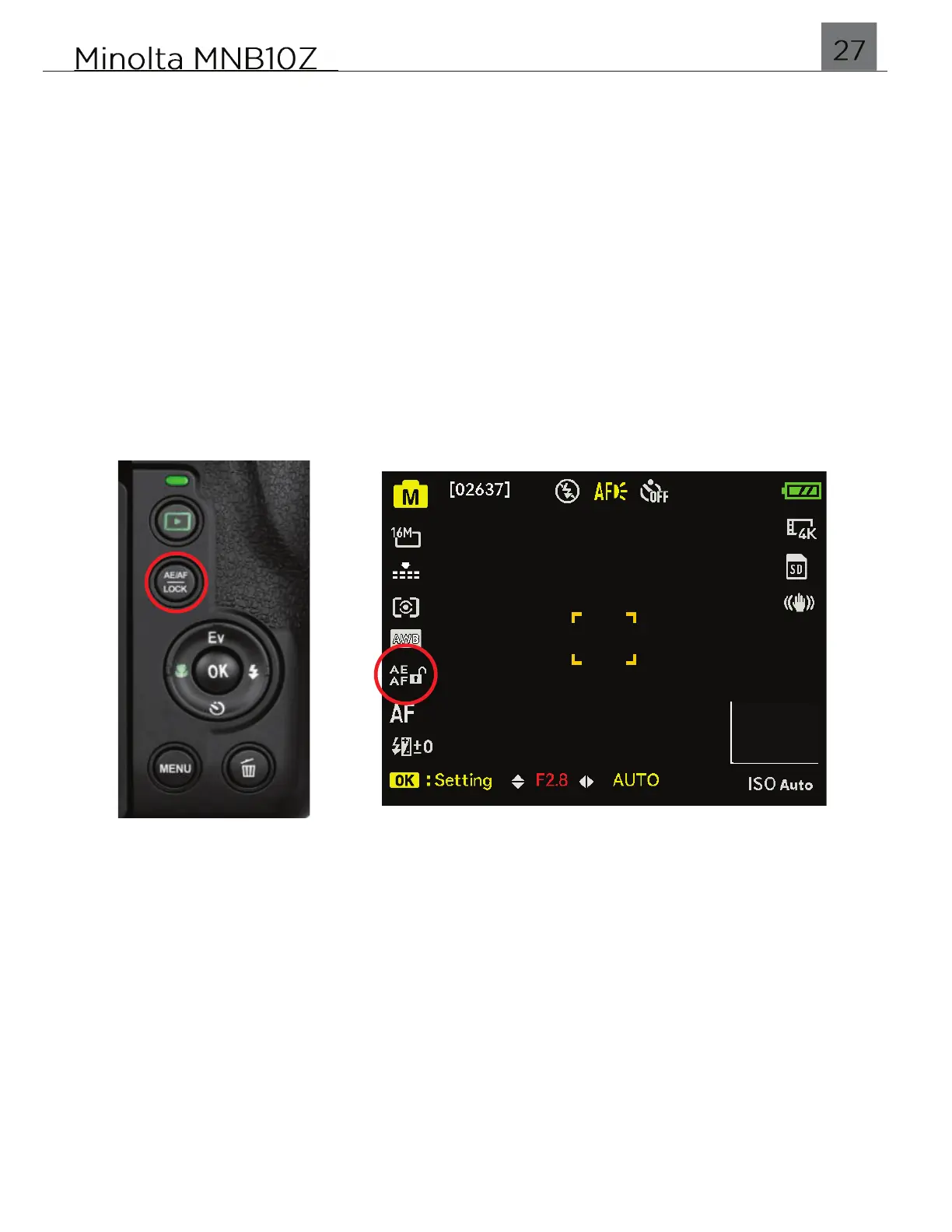
2.8 AE/AF Lock
This button allows you quickly lock Exposure or Focus. The default setting for
whether the button locks Exposure and/or Focus can be found in the Settings menu.
AE-L (Auto Exposure Lock)
This function allows you to lock the auto exposure during shooting. It is useful for
when you want to reframe the scene, but keep the current exposure from changing.
It allows the camera to maintain the same brightness between captures.
AF-L (Auto Focus Lock)
This function allows you to lock the lens focus during shooting. It is useful for when
you want to focus on an object, and then recompose your shot freely while still
focused on the desired subject. It allows the camera to maintain the same focus
between captures.
To unlock AE/AF, press the AE/AF LOCK button again.


 To Next Page