5.4 Frequency
This menu sets the light frequency of the camera from 50Hz to 60Hz. Check the
frequency of your geographical region and set accordingly.
1.
To access this setting, press the MENU button.
2.
Once in the menu, press the RIGHT button twice to switch from Camera settings to
System settings.
3.
Press the UP and DOWN buttons to navigate.
4.
Select ‘Frequency’ and press the OK button to enter the submenu.
5.
You may select from 50Hz and 60Hz.
6.
Highlight your selection and press the OK button to confirm.
7.
Press the MENU button to exit the settings menu and return to shooting.
5.5 Sound Settings
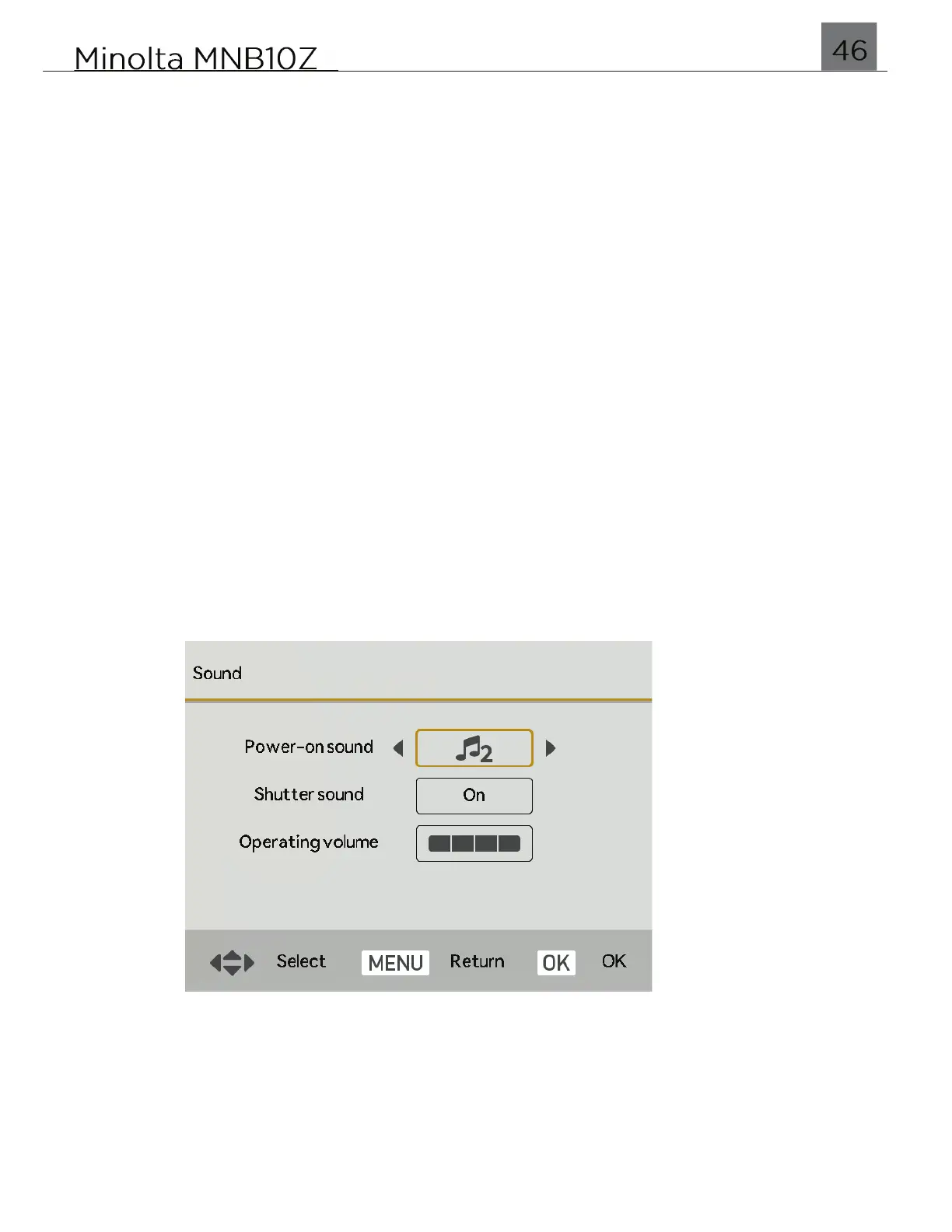
This menu sets all of the options for sounds emitted by the camera.
1.
To access this setting, press the MENU button.
2.
Once in the menu, press the RIGHT button twice to switch from Camera settings to
System settings.
3.
Press the UP and DOWN buttons to navigate.
4.
Select ‘Sound Settings’’ and press the OK button to enter the submenu.
5.
You will be presented with the following screen. Use the UP, DOWN, LEFT and
RIGHT buttons to navigate and adjust settings.
6.
Highlight your selection and press the OK button to confirm.
7.
Press the MENU button to exit this submenu, and press MENU again to exit the
settings menu and return to shooting.


 To Next Page