6.0 Playback
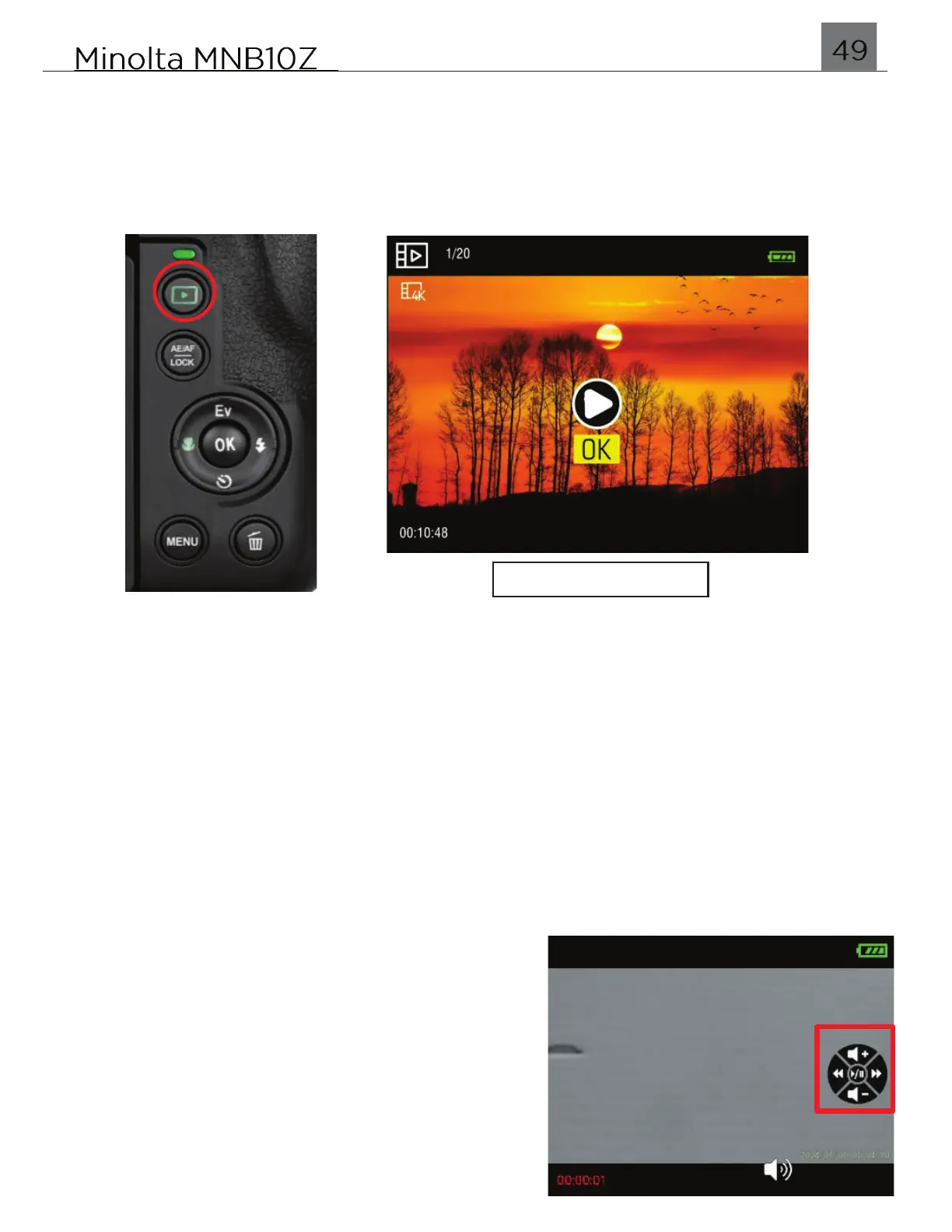
To enter Playback mode, simply press the PLAYBACK button as shown in the
figure below. In this mode, you can review all of the photos and videos captured.
Press the LEFT and RIGHT buttons to scroll through your photo and video files.
To exit Playback mode and return back to shooting, press the PLAYBACK button
again.
6.0.1 Photo Playback
To zoom into a photo, select a photo and press the ZOOM T and W lever to zoom in
and out.
To delete a file, press the DELETE button. Select ‘OK’ and press the OK button to
confirm.
6.0.2 Video Playback
Select a video and press the OK button to start
or stop playback.
During playback, use the LEFT and RIGHT
buttons to rewind or forward the playback. Use
the UP and DOWN buttons to increase or
decrease the playback audio volume.
To delete a file, press the DELETE button.
Select ‘OK’ and press the OK button to confirm.


 To Next Page