2.4 Capturing a Video – One Touch Movie Capture
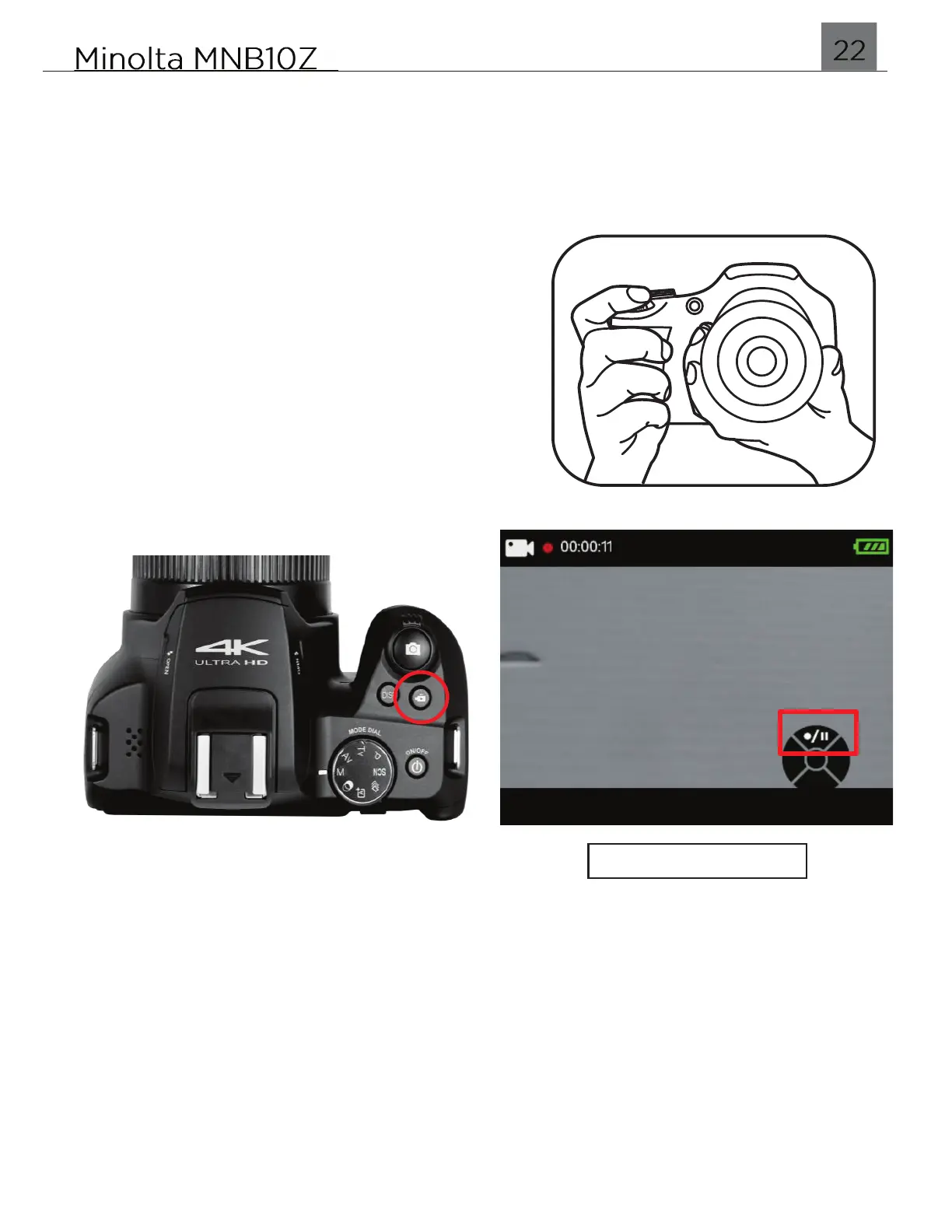
The MNB10Z includes a one touch movie capture button. A single press of the VIDEO
button will put the camera in Video mode and begin recording a video clip
automatically.
x Hold the camera with both hands
x Point the lens toward the object you want to
take recording and then frame it with the LCD
monitor.
x Use the ZOOM lever to select Tele or Wide
positions to zoom in or out on your subject.
x Press the VIDEO hotkey shown in the figure
below. Once pressed, the camera will go into
Video mode and automatically begin recording a
video clip.
x To pause recording, press the UP button.
x To stop recording and return back to Photo shooting, press the VIDEO button again.


 To Next Page