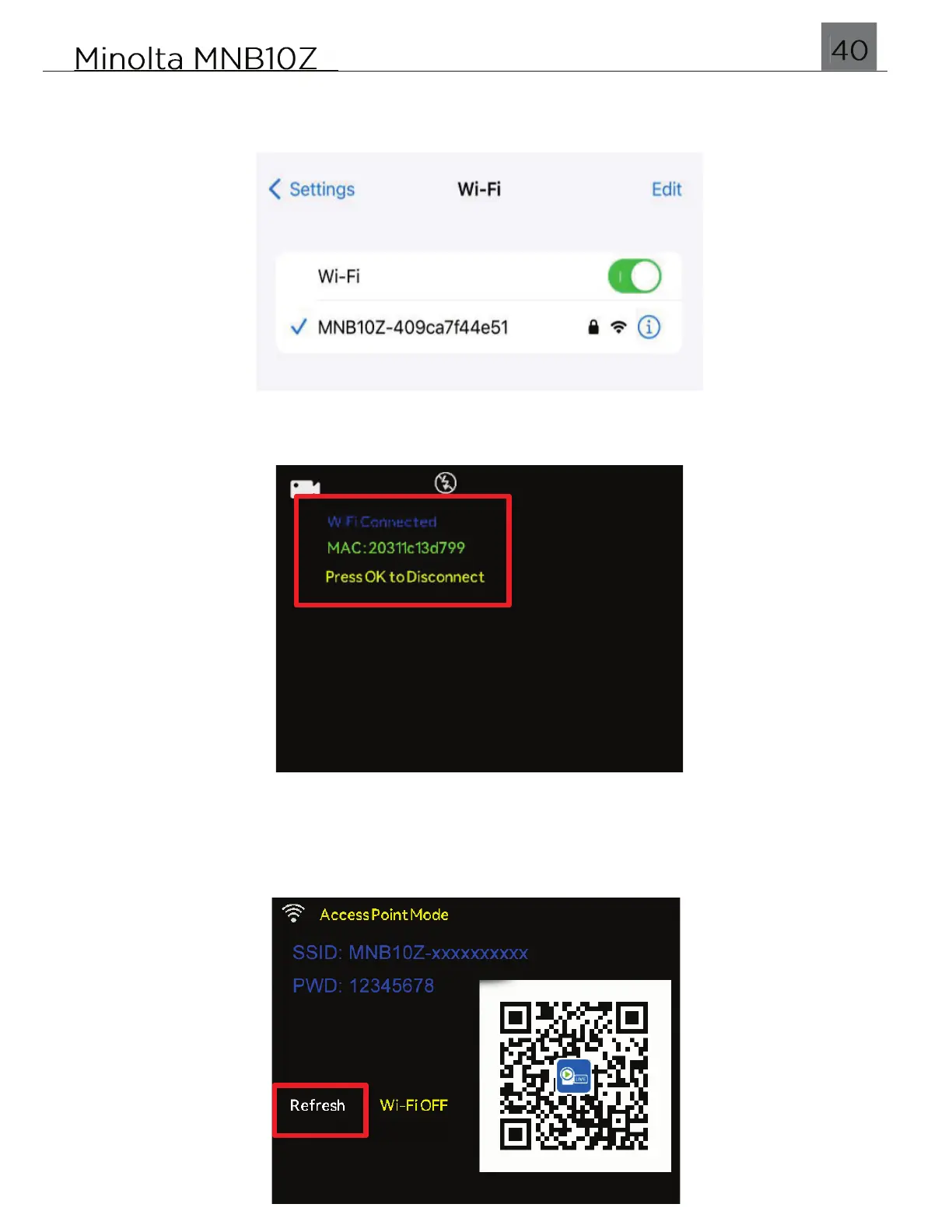
Open your smartphone’s Wi-Fi menu, turn all Wi-Fi settings On and tap the network
named “MNB10Z_XXXXXXXX” to connect to the camera. When prompted, enter the
password 12345678.
Once connected successfully, your camera will display the following success screen.
If your smartphone is having trouble finding the camera’s Wi-Fi name, press the LEFT
or RIGHT buttons to highlight ‘Refresh’. Press the OK button and your camera will
reinitiate another broadcast.


 To Next Page