2.6 Using the Play Lists
You can create your own play lists for future use.
Creating a Play List
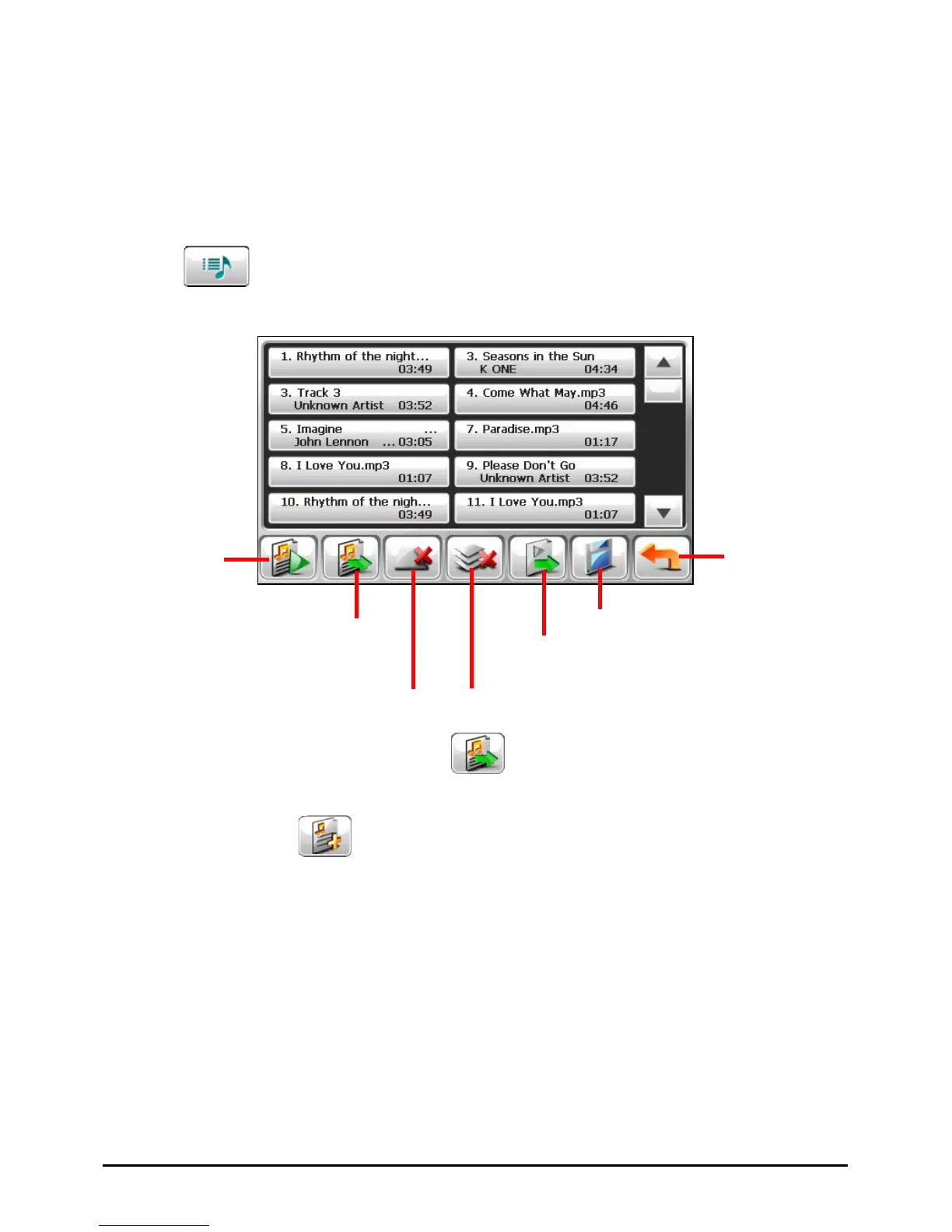
1. Tap on the control panel to open the play list screen. The screen shows
the current play list.
Back
Add song
Remove the selected
song from the list or from
the storage media.
Save the play list.
Open the list of play lists.
Clear all songs from the current
play list. (No files are deleted.)
Play the
selected file.
2. To add a song to the play list, tap
.
3. A screen appears displaying all the audio files. Tap the song(s) you wish to
add and then tap
.
18



 To Next Page