11. Firmware Upgrade
.The firmware upgrade process is different for MIOPS Smart devices with V2.0
and above. They have the capability to upgrade the device firmware using the
smartphone app without having any cable connection to a computer. So,
depending on the version of your MIOPS, you need to follow one of the
methods to upgrade the device firmware.
a. MIOPS Smart v2.0 and above
If you own a MIOPS Smart v2.0 and above your device has the capability to
update its firmware without needing any cable connection to a computer. You
can use the smartphone app to check for new firmware version and then
update the device with a single click. In order to upgrade the firmware, follow
these steps:
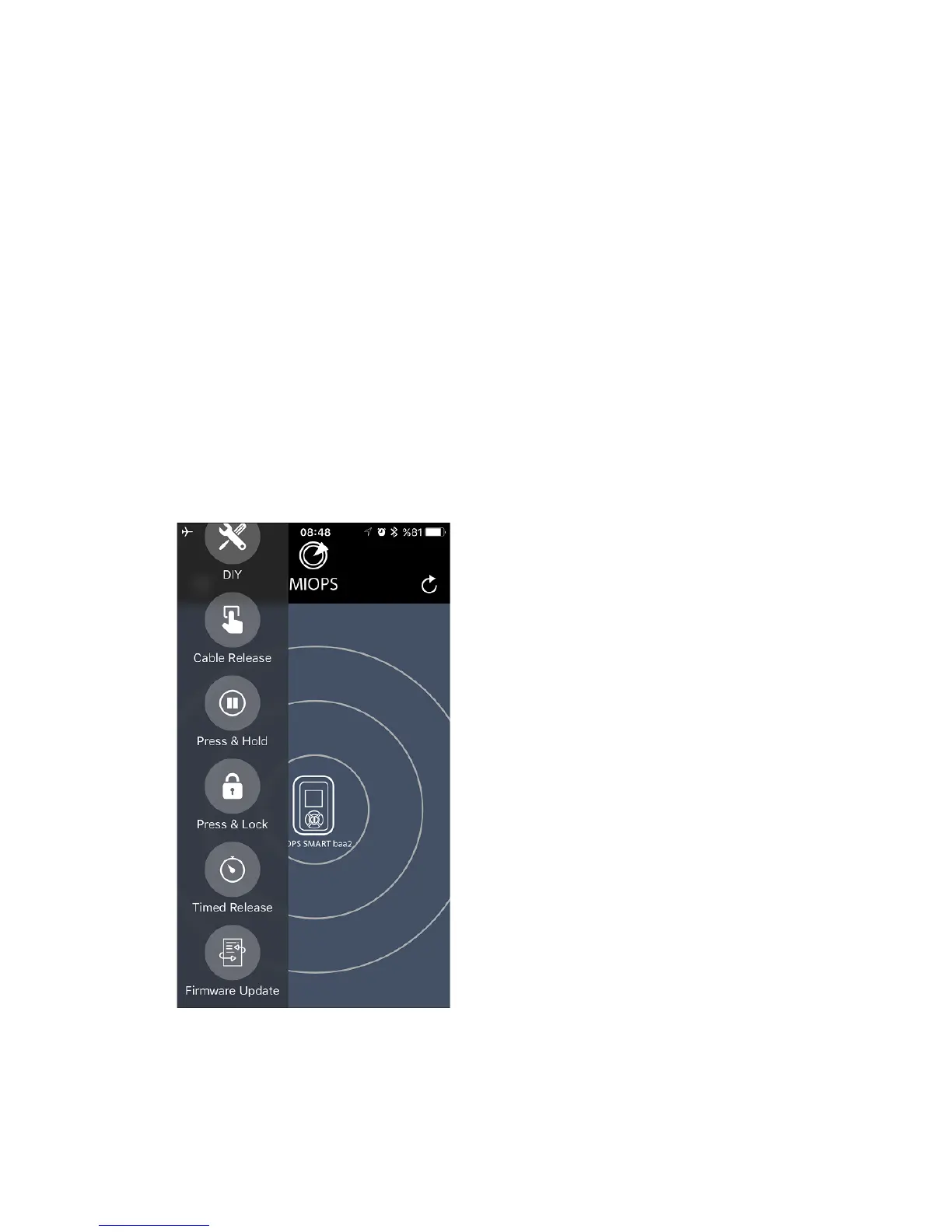
• Start the MIOPS Smart app and connect to your MIOPS.
• Select the “Firmware Upgrade” mode
from the selection menu on the left.
• Then touch the circle where it says
“Check for Update”.
• At this step, the app will connect to
the server and check if a new version of the
firmware is available.
• If a new version of the firmware is
available, this will be displayed in a pop-up
message. You will see the version of the new
firmware and current firmware.
• If you want to upgrade the firmware,
press the “Upgrade” button.
• At this point, you need to make MIOPS
Smart ready for the firmware upgrade. To
do this, first turn MIOPS Smart off. Press
and hold down the “UP” button while
switching MIOPS Smart on.
• The smartphone app will automatically
detect the MIOPS Smart which is ready for
the firmware upgrade.
• It will download and prepare the firmware from the server.



 To Next Page