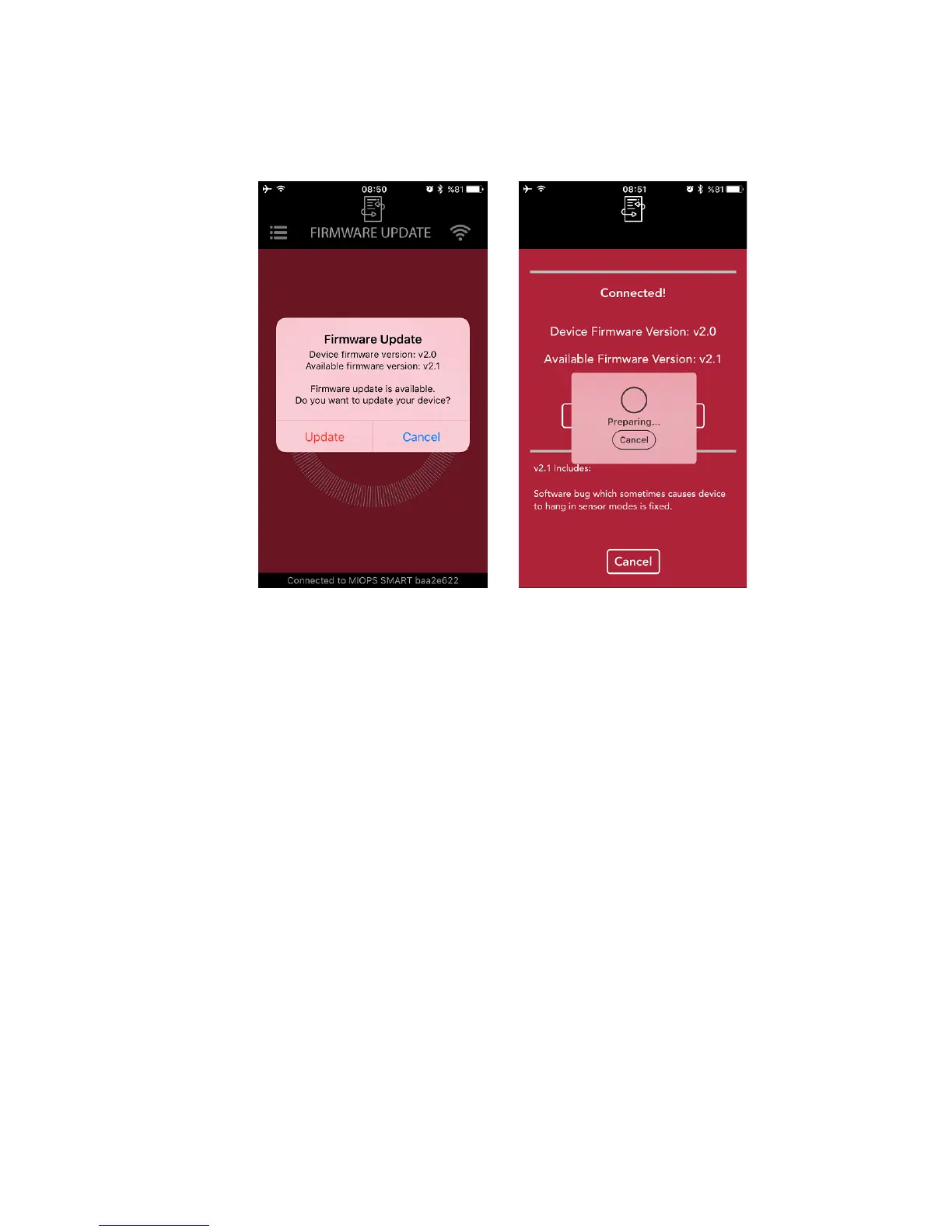
• The app will install the new firmware automatically. You can track the progress
on the screen.
• Once the process is complete, MIOPS Smart will start running again, but this
time it will have the new firmware.
b. MIOPS Smart v1.9 and before
Windows Systems
In order to complete the upgrade you will need to download the following
items: Firmware Upgrade Software, Device Drivers and Firmware File. Create a
folder called MIOPS Smart in your computer to store the required files. Note
the folder location as you will save all of the required files to that folder.
The Firmware Upgrade Software is the dedicated program that you will use to
put the new firmware to your MIOPS Smart. It transfers the firmware from
your computer to MIOPS Smart using the USB connection. You will also need to
introduce MIOPS Smart to your computer using the device drivers. You will
need to do this once. Once this step is complete, your computer will recognize
MIOPS Smart automatically.
For your convenience, we have bundled all of the required files into a single
compressed file. You just need to download the file and extract it to the MIOPS
Smart folder that you have created for the upgrade. You can download the



 To Next Page