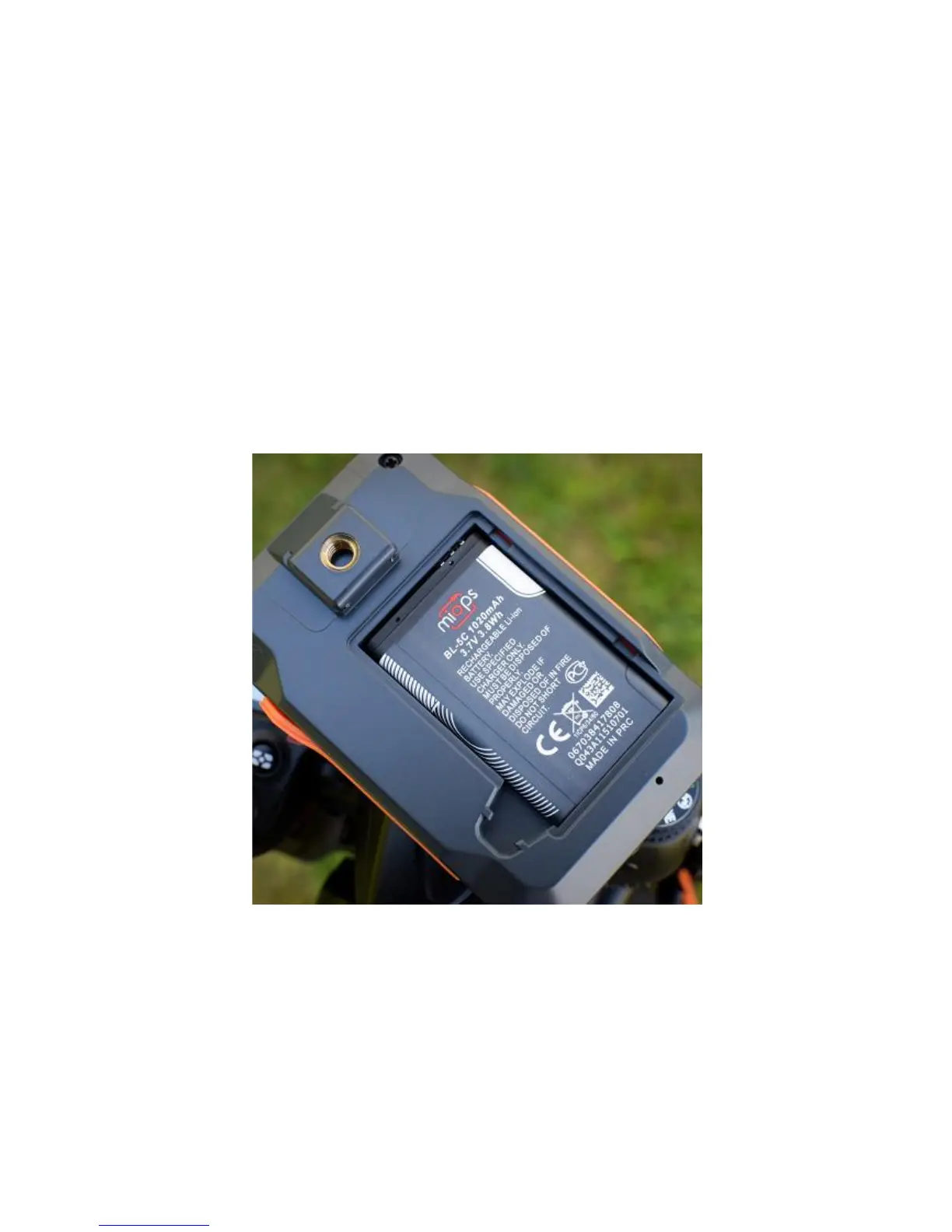
battery using any USB charger (500 mA min.) or the USB port of your
computer. It will take about two hours to charge the battery from 0% to
100%. MIOPS Smart will be delivered with a Mini-USB cable. You can use this
cable to charge it. The mini end of the USB cable will be plugged into the USB
port. It is located on the left side of the device under the protective cover.
Please see Figure 1 to see the location of the USB port.
To use the MIOPS Smart for the first time, take the rechargeable battery and
remove the protective plastics. Open the battery cover of the device and align
the battery with the power terminals of the device. Put the battery in with the
correct alignment and put the battery cover back. Turn the device on using the
On/Off switch.
Initial screen of Miops Smart will appear on the device showing the Miops logo
and the device firmware information at the bottom of the screen. It will switch
to Lightning Mode automatically in three seconds.
Warning: Never use any other type of battery to power Miops Smart.
This can damage the unit and may cause fire and electrical shock!



 To Next Page