24
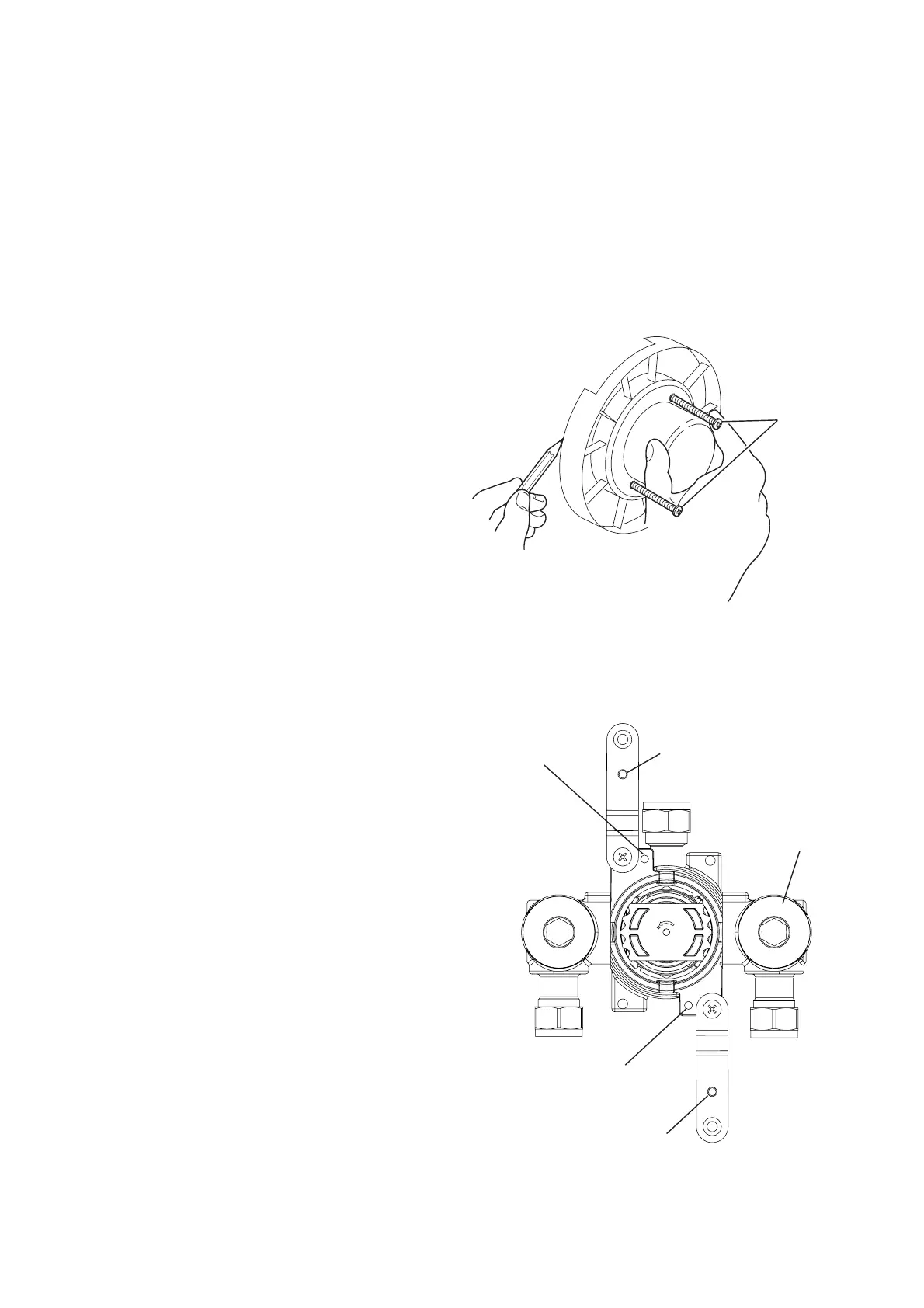
M5 Fixing Hole
Backplate
Securing Hole
Backplate
Securing Hole
M5 Fixing Hole
Filter Plug
3. Laminated Panel
(Using Securing Brackets - Mounting on Rear Face of Wall)
3.1 Remove the two Shroud Screws
(retain for later use) and separate the
unit from the Building-in Shroud.
3.2 Mark the position of the unit using the
Building-in Shroud as a guide.
3.3 Carefully cut out the laminated
panel.
3.4 Fit the Securing Brackets to the
unit.
Important! The Securing Brackets
must be fixed vertically, as
illustrated.
Important! Make sure that the
correct holes are used, otherwise the
Backplate cannot be fi tted.
3.5 Position the unit on the front of the
panel, make sure that it is level and
central in the hole, then mark the
position of the M5 fi xing holes.
Important! Make sure that the correct
holes are used (refer to illustration).
Note! Make sure that the Filter Plugs
are positioned so that they can be
removed for servicing.
Note! For laminated panels the unit must be positioned from the rear of the
panel.
Panel thickness must be between 4 and 12 mm. (If a thicker panel is used, it will be
necessary to recess the Securing Brackets into the rear of the panel.)
Important! Make sure that there is a minimum clearance of 64 mm behind the
laminated panel to accommodate the unit.
Shroud
Screws
(retain for
later use)


 To Next Page