Instructions For Use – neXus Ultrasonic Surgical Aspirator
Doc #: 100-10-1000 rev A p 43
8.1 Electrical Faults
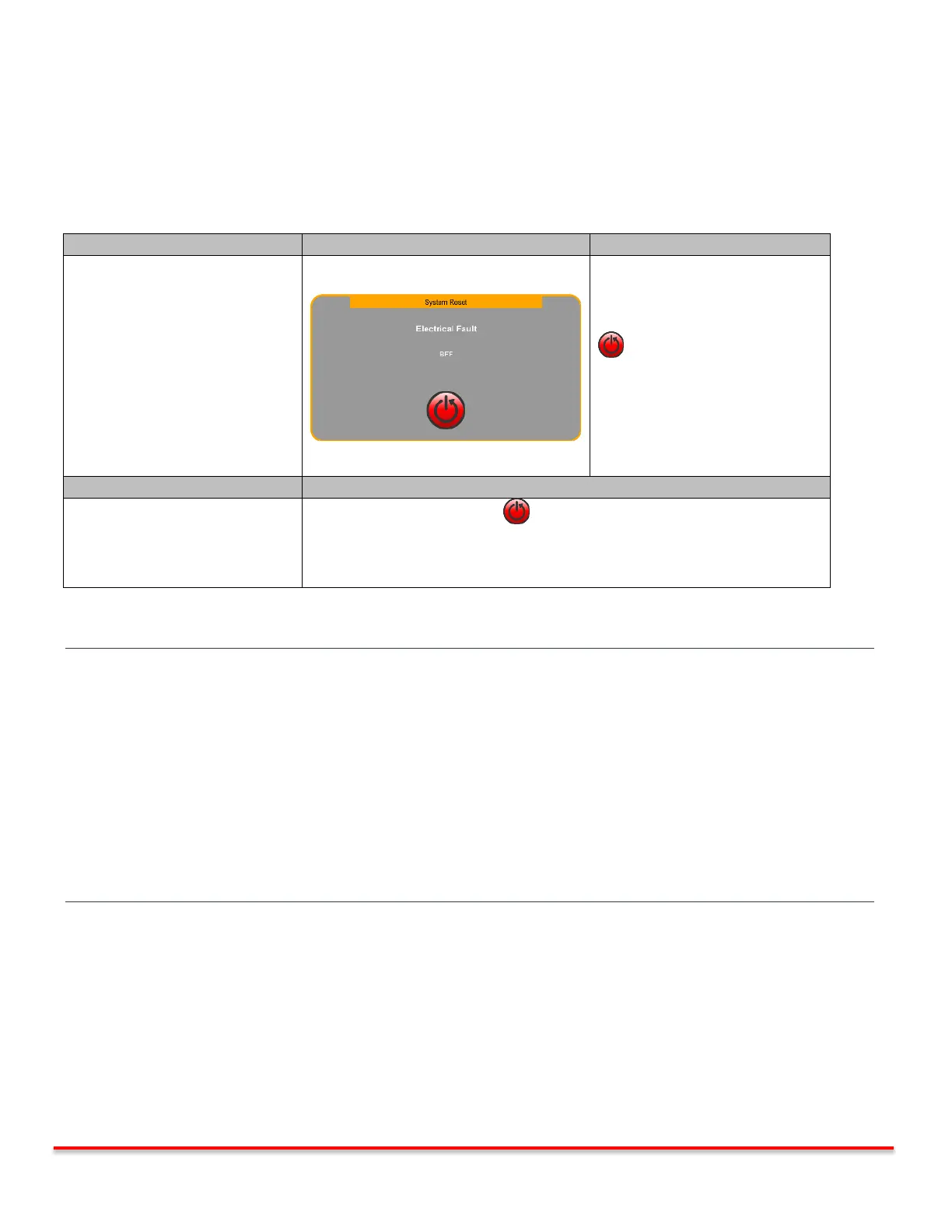
The console monitors the electrical output at all times and faults in cases where the electrical connections to the handpiece
are compromised. A System Reset screen is displayed together with an audible indicator. Ultrasound and Irrigation are
deactivated.
System functions automatically
disabled.
Pressing the System Reset Button
reboots the system.
“neXus” splash screen appears
followed by the Priming screen.
Priming screen may be skipped.
*Skipping priming screen returns
user to the Main screen.
Damaged console or Handpiece
Press the System Reset Button and try again.
If problem persists, replace handpiece and try again.
If corrective action steps above are followed and fault continues, the console
may need to be replaced.
Table 8.1: Electrical Faults
WARNING Immediately suspend operation if a persistent Electrical Fault appears on display and/or an Electrical Fault
audible indicator sounds. Remove ultrasonic tip from surgical site. Do not touch any metallic parts of
handpiece, extension, ultrasonic tip or generator while fault is indicated.
WARNING Proper system grounding can only be ensured when an approved, hospital-grade receptacle and matching
power cord are used. To avoid the risk of electric shock, this equipment must only be connected to a supply
with protective earth. Install plug and receptacles as per local regulations before operating the unit. Power
cord, plug and receptacle should be examined to verify that they are in good working condition before
connecting the console. Never pull on the power cord to remove it from the receptacle.
WARNING If a Mains Power fuse fails after replacement when the unit is reactivated, discontinue use of the device and
contact an authorized Misonix representative.



 To Next Page