Instructions For Use – neXus Ultrasonic Surgical Aspirator
Doc #: 100-10-1000 rev A p 40
6.12
Powering Down the Console
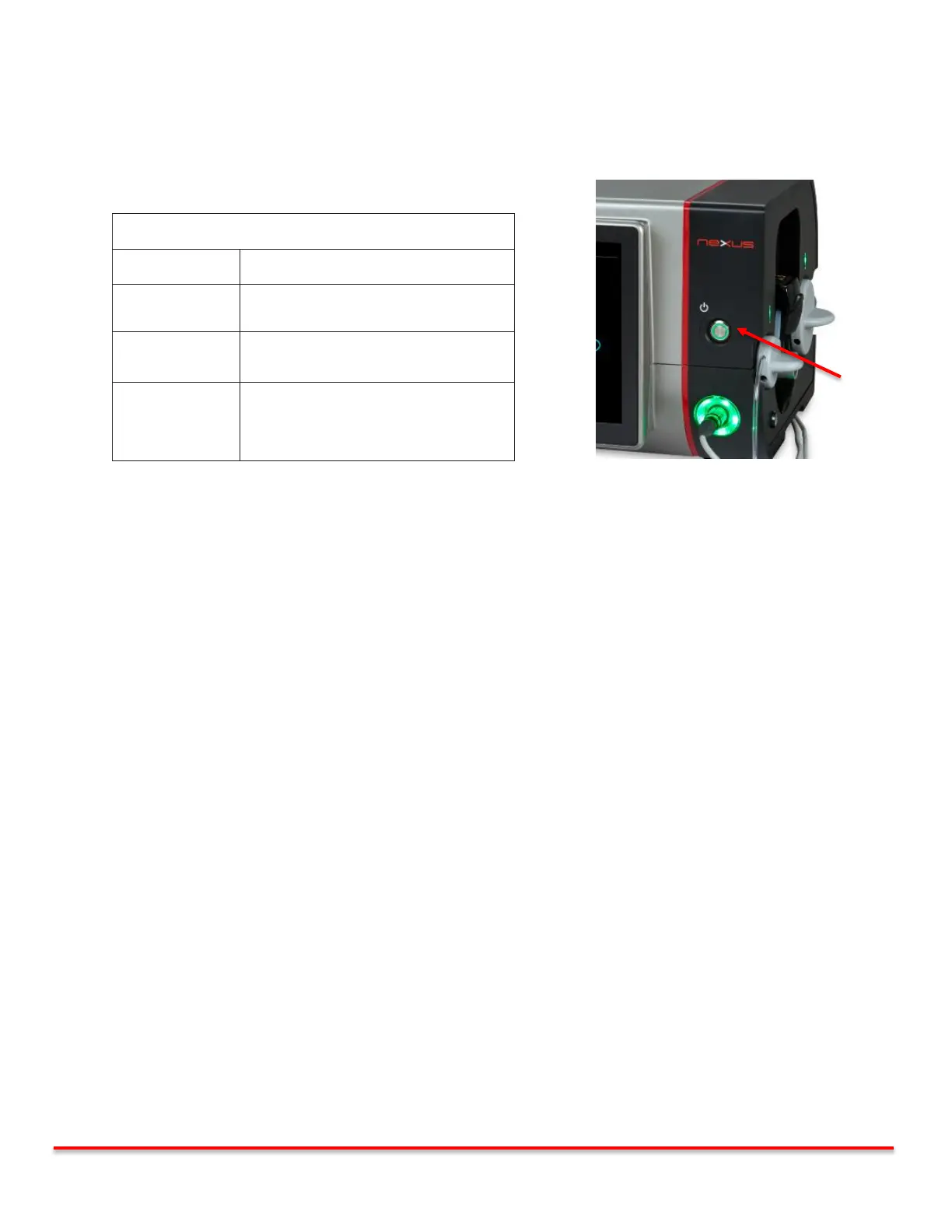
The neXus console can be placed into “Power Standby” by pressing and holding the soft power button on the front panel. In this
mode, the screen is turned off and power is in standby. Pressing again “wakes up” the display and starts the setup sequence. If the
device is already setup, the Main screen shall appear. To completely tear-down the console, follow the steps in the table below.
Console Tear-Down Procedure
Unplug Mains power cord from the rear of the
console.
Pull cable connector from receptacle on
console front.
Open pump cover. Remove tubing from
pump compartment. Disconnect tubing from
irrigation source (i.e. Saline Bag / Bottle) and
canister (if applicable.
Table 6.12.1 Console Tear-Down Figure 6.5.6.1 Console Power Button



 To Next Page