Instructions For Use – neXus Ultrasonic Surgical Aspirator
Doc #: 100-10-1000 rev A p 39
Step 3:
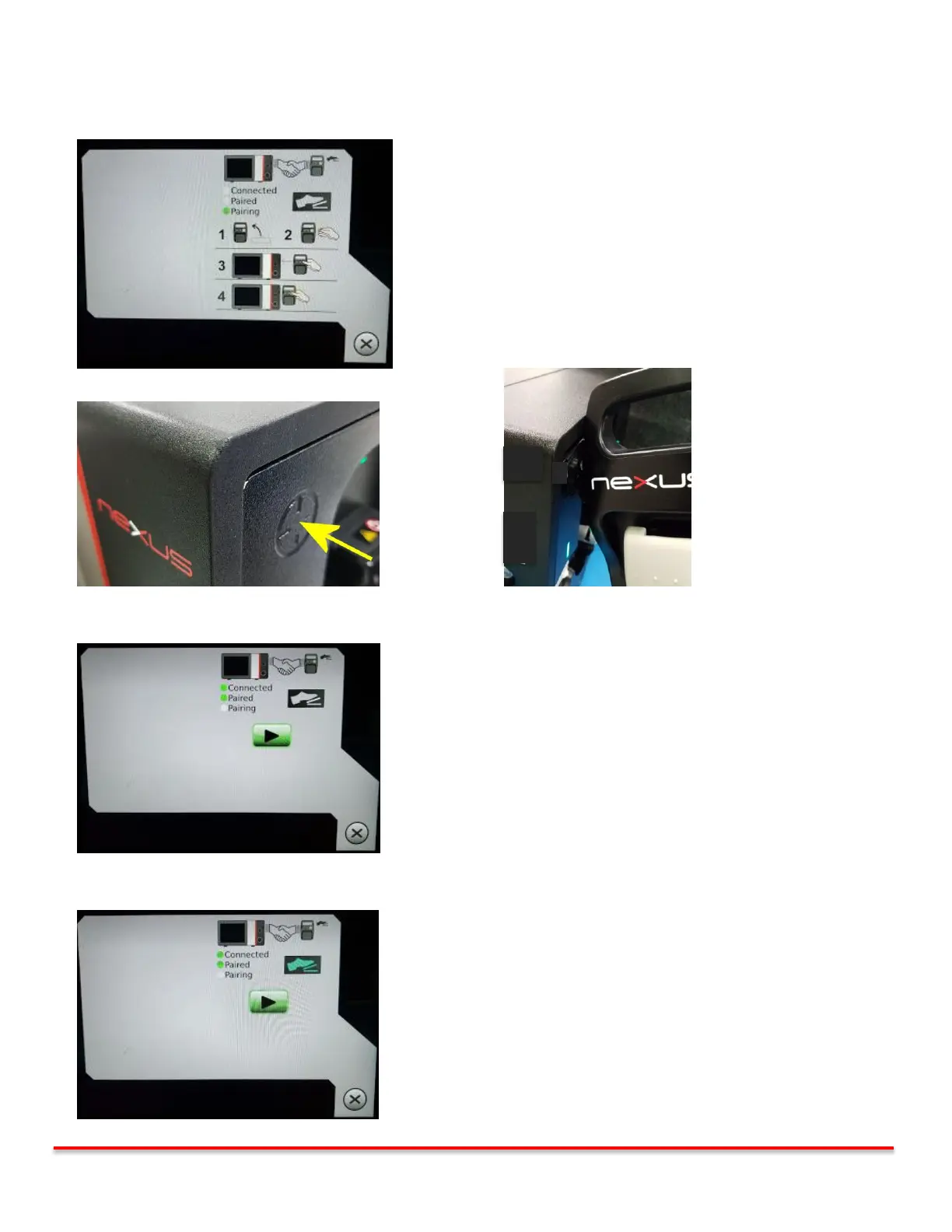
Hold the footswitch vertically, press the Flush button on the footswitch, and touch the footswitch to the console
as shown for approximately 2 seconds
The Pairing LED shall be illuminated
Wait until “Pairing and Connected” LED’s on the screen are illuminated
Console Touch Point Footswitch Pairing Point to Console Pairing Point
Step 4: The green “Paired and Connected” LED’s on the screen confirms that pairing is complete.
Step 5: Verify that the footswitch is connected to the console by depressing footpedal.
The footswitch icon shall turn green when the footpedal is depressed



 To Next Page