EasyManua.ls Logo

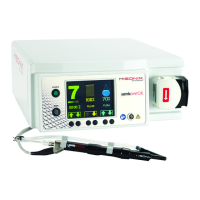
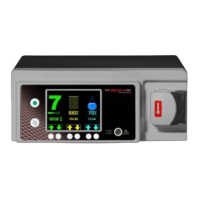
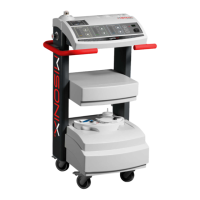
Misonix neXus - User Manual

Default Icon
56 pages
Print Icon
To Next Page IconTo Next Page
Loading...
® Ultrasonic
Surgical Aspirator System
Instructions for Use

Questions and Answers

  • J
    Jason LyonsAug 12, 2025
    What to do if Misonix Medical Equipment shows 'Mechanical Fault - Tip Overload'?
    • M
      Monica AbbottAug 13, 2025
      If the Misonix Medical Equipment displays a 'Mechanical Fault - Tip Overload' notification, first, try reducing the tip pressure. If the notification persists, either release the footpedal and try again, or use a higher amplitude setting as required. If the issue is due to a loose or damaged component, release the footswitch, set the ultrasound to STANDBY, remove the silicone sleeve and probe cover, and inspect the extension probe and ultrasonic tip for damage. Replace if necessary; otherwise, re-tighten the extension probe and tip using the correct wrenches. Then, set the ultrasound to ENABLE and continue the procedure. If the fault continues after these steps, the handpiece may need to be replaced.
  • J
    James JonesAug 16, 2025
    What to do if Misonix Medical Equipment shows a 'Communication Fault'?
    • M
      Megan CamachoAug 17, 2025
      If the Misonix Medical Equipment displays a 'Communication Fault', press the System Reset Button and try again. If the fault continues, the console may need to be replaced.
  • A
    Austin HuffAug 20, 2025
    How to fix an 'Electrical Fault' on Misonix Medical Equipment?
    • M
      Matthew WalkerAug 20, 2025
      If the Misonix Medical Equipment displays an 'Electrical Fault', press the System Reset Button and try again. If the problem persists, replace the handpiece and try again. If the fault continues, the console may need to be replaced.
  • J
    Joshua VegaAug 25, 2025
    What should I do if Misonix Medical Equipment indicates 'Mechanical Fault - Loose or damaged component'?
    • J
      Jessica WhiteAug 25, 2025
      If the Misonix Medical Equipment displays a 'Mechanical Fault - Loose or damaged component', release the footswitch and set the ultrasound to STANDBY. Remove the silicone sleeve (if applicable) and probe cover. Inspect the extension probe and ultrasonic tip for damage. Replace if necessary. Otherwise, re-tighten the extension probe and tip using the correct wrenches. Set the ultrasound to ENABLE and continue the procedure.
  • J
    James ClarkAug 27, 2025
    What to do if Misonix Medical Equipment shows 'Unrecognized Handpiece Notification'?
    • M
      Michelle BrownAug 28, 2025
      If the Misonix Medical Equipment displays an 'Unrecognized Handpiece Notification', unplug the handpiece and plug it back in. Then, press the Exit Button. If the notification persists, the handpiece may need to be replaced.
  • R
    raymond00Aug 31, 2025
    What does 'Footswitch Low Battery Notification' mean on Misonix Medical Equipment?
    • W
      William RomeroAug 31, 2025
      If the Misonix Medical Equipment displays a 'Footswitch Low Battery Notification', press the Exit Button and continue the procedure. Replace the battery immediately following the procedure.
  • M
    matthewandersonSep 4, 2025
    Why is there insufficient aspiration in my Misonix Medical Equipment?
    • T
      Tim JacobsSep 4, 2025
      If the Misonix Medical Equipment has insufficient aspiration, it could be due to several reasons: * A clogged filter: Replace the vacuum filter located in the rear of the console. * Aspiration lines not properly connected: Check all aspiration line connections at the handpiece, filter, and canister. * A cracked canister: Replace the canister.

Summary

General Safety Statements

EMC Statement

Details compliance with FCC regulations for conducted and radiated emissions and IEC60601-1-2 for emissions and immunity.

Electrical Safety Statement

Outlines electrical safety compliance with UL 60601-1 and EN 60601-1 standards for the system.

List of Warnings

Details critical warnings regarding electrical hazards, explosion risks, acoustic pressure, and tip usage.

List of Cautions

Provides cautions on training requirements, EMC, accessory usage, and operating conditions.

Indications and Contraindications

Indications for Use

Details the intended uses for the system with different handpieces and probe kits across various surgical specialties.

Adverse Effects

Considerations During Clinical Use

Hard Tissue Applications

Provides recommended settings and considerations for using the system with hard tissue.

System Overview

Console Setup and Use

Standard Handpiece Controls

Explains how to enable ultrasound and adjust amplitude, irrigation, and aspiration on the main screen.

System Controls (Standard Handpiece)

Details amplitude, irrigation, and aspiration controls for standard handpieces.

Sonastar Handpiece Controls

Explains how to enable ultrasound and adjust settings for SonaStar handpieces.

System Controls (Sonastar Handpiece)

Details amplitude, irrigation, and aspiration controls for SonaStar handpieces.

System Check

Outlines the procedure for performing a system check to ensure proper functionality before use.

Footswitch Functionality and Pairing

Explains footswitch features, pairing procedure, and verification of connection.

Cleaning Console

Faults, Indicators & Troubleshooting

Electrical Faults

Details electrical faults, their causes, and corrective actions including system reset.

Service, Repair and Technical Correspondence

Misonix neXus Specifications

General IconGeneral
CategoryMedical Equipment
ApplicationSurgical procedures
Power OutputAdjustable
DisplayTouch screen
Voltage100-240 VAC

Related product manuals