Instructions For Use – neXus Ultrasonic Surgical Aspirator
Doc #: 100-10-1000 rev A p 37
CAUTION The system check should always be done in advance of preparing patient for surgery to minimize risk to
patient in case of system malfunction.
WARNING Heat is being generated at the tip/tissue interface. A continuous, lateral sweeping motion is
recommended for general bone/tissue removal in order to minimize contact duration with the
ultrasonic tip and minimize the temperature increase.
WARNING During system check, make sure the tip of the handpiece is free from contact with any object.
Allowing contact with the tip may result in damage and/or personal injury
WARNING Inadvertent or improper foot pedal depression can cause possible injury to the patient, surgeon, or
operating room staff and can damage the product. Place foot pedal where it is highly visible and
labels can be clearly seen.
WARNING Do not lay the handpiece on the patient when not in use. When not in use, keep the handpiece on a
dry, non-conductive surface with the tip free from contact with any object
6.11
Footswitch Connectivity & Functionality
6.11.1 Footswitch Connectivity
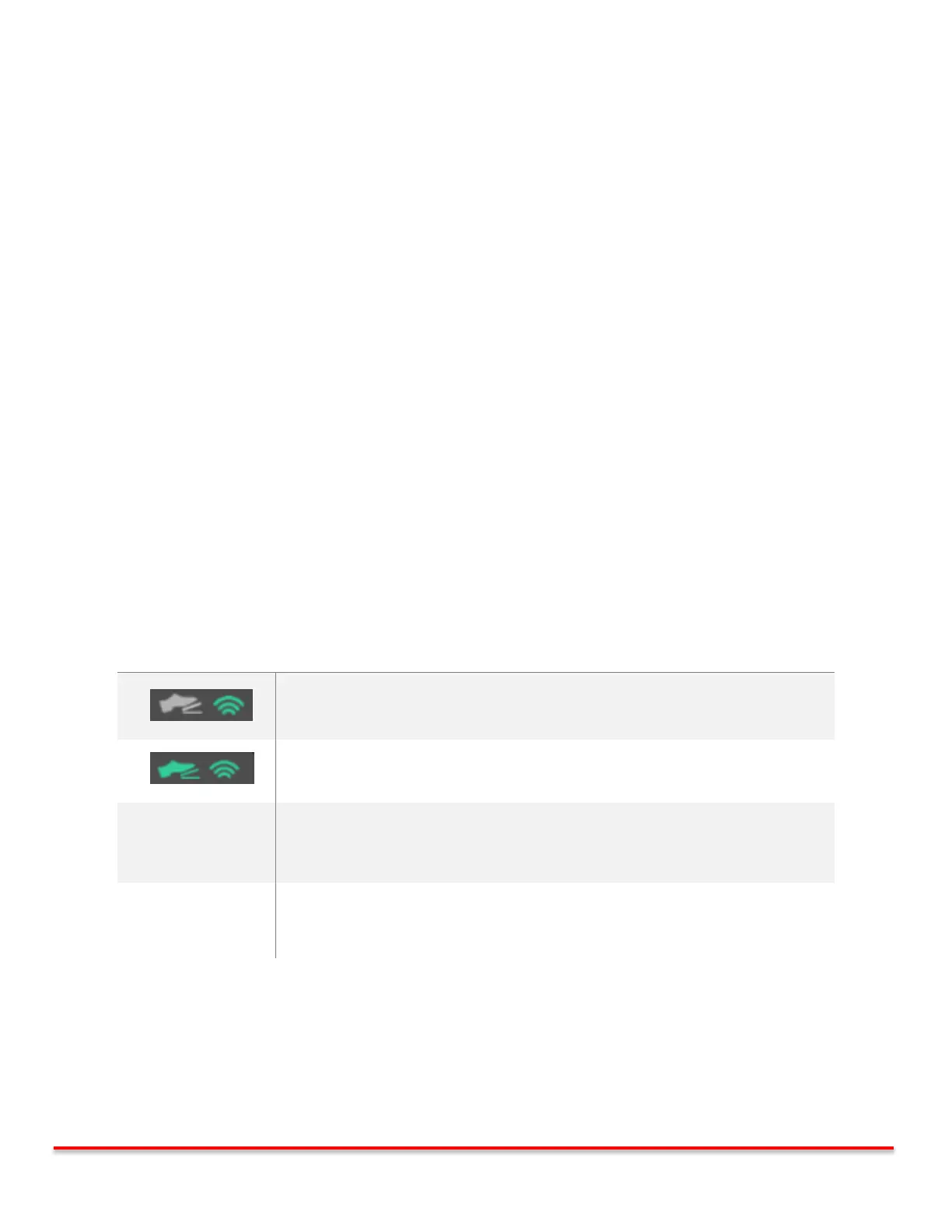
The console monitors that status of the footswitch at all times. A window is provided in the corner of the main screen to
alert the user of its status.
Footswitch Communicating with Console
Foot pedal is pressed, Vibration is active
Caution: Change batteries immediately following procedure
FOOTSWITCH
CONNECTION LOST
Footswitch NOT Communicating with Console.
Bring footswitch closer to the console.



 To Next Page