EasyManua.ls Logo

MiTAC 8575 - No Power

Default Icon
232 pages
Print Icon
To Next Page IconTo Next Page
To Previous Page IconTo Previous Page
Loading...
135
8575
8575
N/B Maintenance
N/B Maintenance
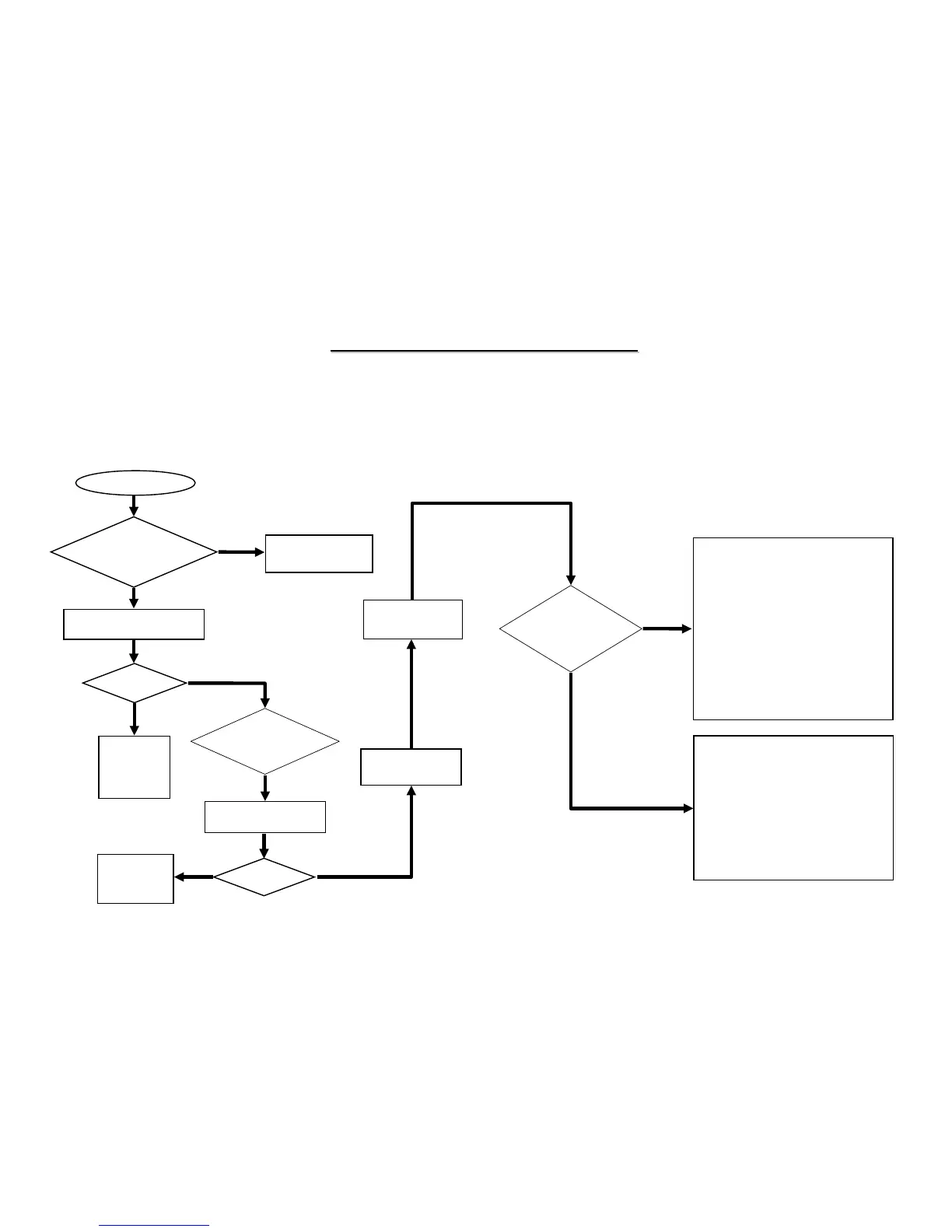
No power
Connect AC adaptor
or battery.
Replace the
faulty AC
adaptor or
Battery.
Power
OK?
No
Yes
No
Try another known good
battery or AC adapter.
Power
OK?
Yes
Try another known
good charger BD.
Is the
notebook connected
to power (either AC adaptor
or battery)?
Is
the M/B and charger
BD connected
properly?
No
Replace the
faulty Charger
BD.
AC
Battery
ADINP
ALWAYS
+DVMAIN
+VDD5S
BATT
VMAIN
-ADEN
BAT_V
BAT_T
J2
PF501
PL508
PL501
JS501
PU502
PD502
PD514
PD505
PD506
PD504
J14
PF502
PL504
PL505
PR564
PU513
Where from
power source problem
(first use AC to
power it)?
Board-level
Troubleshooting
Replace
Motherboard
Check following parts and signals:
Parts: Signals:
Check following parts and signals:
Parts: Signals:
8.1 No Power
When the power button is pressed, nothing happens, no fan activity is heard and power indicator is not light up.
PU512
PR551
PQ509
PQ508
RP553
PR552

Related product manuals