157
8575
8575
N/B Maintenance
N/B Maintenance
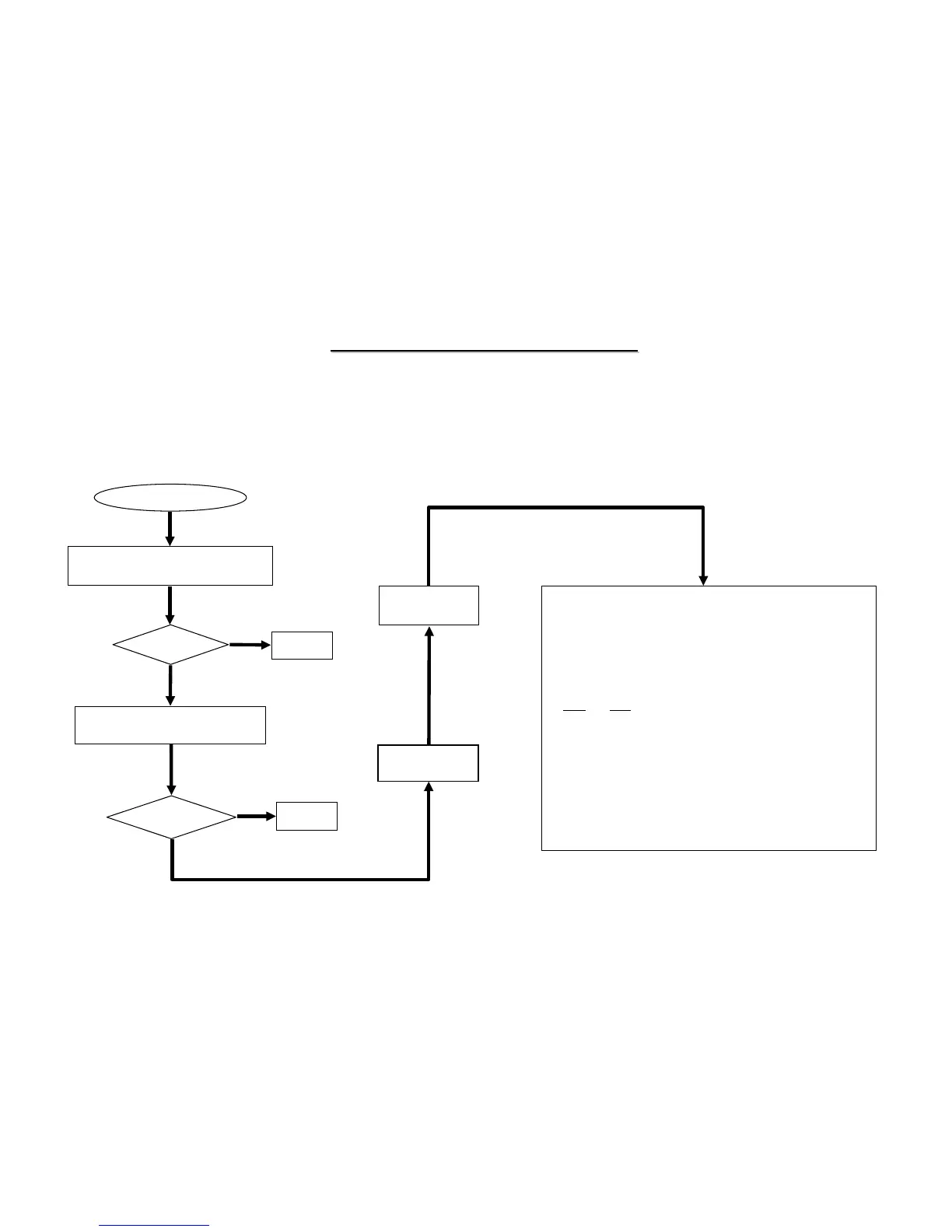
8.9 USB Test Error
An error occurs when a USB I/O device is installed.
USB Test Error
Check if the USB device is installed
properly. (Including charge board.)
Re-test
OK?
No
Yes
No
Yes
Correct it
Check the following parts for cold solder or one of the following
parts on the mother-board may be defective, use an oscilloscope
to check the following signal or replace the parts one at a time
and test after each replacement.
Signals:
Replace another known good charge
board or good USB device.
Board-level
Troubleshooting
Replace
Motherboard
Correct it
Test
OK?
+3V
USBCLK_SB
-USBOC0_1
USBP0+
USBP0-
USB0VCC5
USBP1+
USBP1-
-USBOC3_5
USBP5+
USBP5-
USB5VCC5
USBP3+
USBP3-
Parts:
U14
J7
R147
R148
R75
R518
R142
R143
R161
R163
PJ2
JU3
J5
J7
D504
L524
L509
L516
L518
M/B D/D
U1
J8
J4
D3
L520
L522
L504
L508



 To Next Page