5055 SIP Phone User Guide (Rev. A)
- 2 -
•
Links in a web page are shown as underlined text (for example, User Configuration).
• ▼ and ▲ represent the Down and Up Arrow keys on the SIP Phone (located just above
the keypad).
• and represent navigating softkeys on the display.
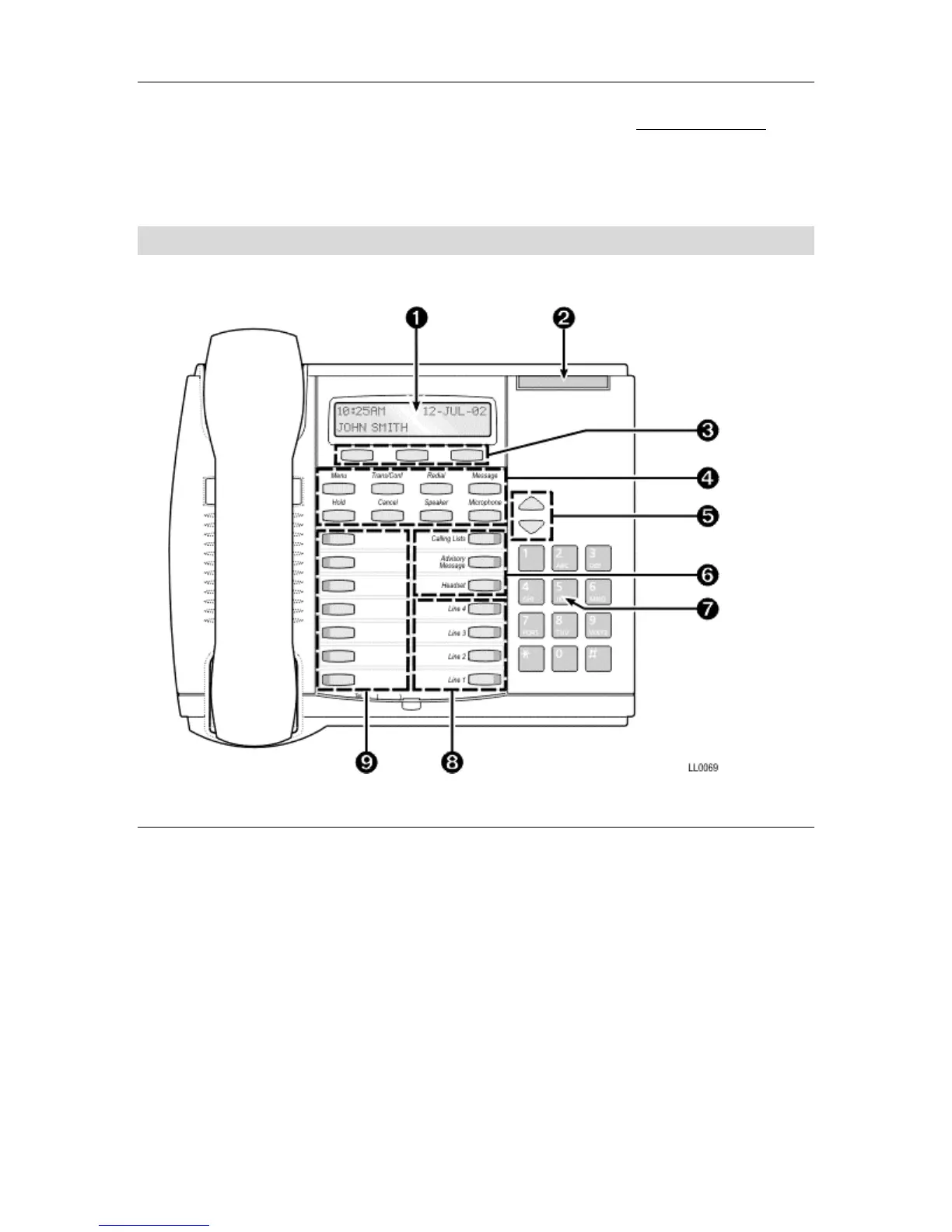
The 5055 SIP Phone
Figure 1 5055 SIP Phone
Elements of the SIP Phone
Display Screen
Provides a high-resolution, back-lit viewing area for ease of use. In default mode (default
display), it shows the name of the active user (see Figure 1 above). In Menu mode, it shows
prompts and information on the features.
Message Waiting/Ringing Indicator Lamp
Flashes when you have an incoming call or a new message in your voice mailbox. Is on
(steady) while the SIP Phone reboots.
Softkeys
Select a command or choice listed on the bottom line of the display screen. These
commands and choices change dynamically depending on the different modes of operation.



 To Next Page