5000 CP Configuration for the UC360
5000 CP Configuration for the UC360
The following section describes the hardware and the system programming required for the
5000 CP on the UC360:
The following hardware is needed to set up the UC360 on the 5000 CP:
• UC360 Collaboration Point unit (Part Number 50006580 (audio only))
• UC360 Collaboration Point power supply large brick
• Two Ethernet cables
• One available Category F licenses for SIP device (required for the 5000 CP)
• UC360 Collaboration Point version 1.0 SP2 and higher
• Mitel 5000 CP Release 5.1 SP4 and higher, or Mitel 5000 CP Release 6.0
The following features are supported:
• Audio bridge with in-room collaboration using an HDMI monitor or projector
• SIP Peer-to-Peer audio
• Up to four calls of any combination of internal and external
5000 System Programming
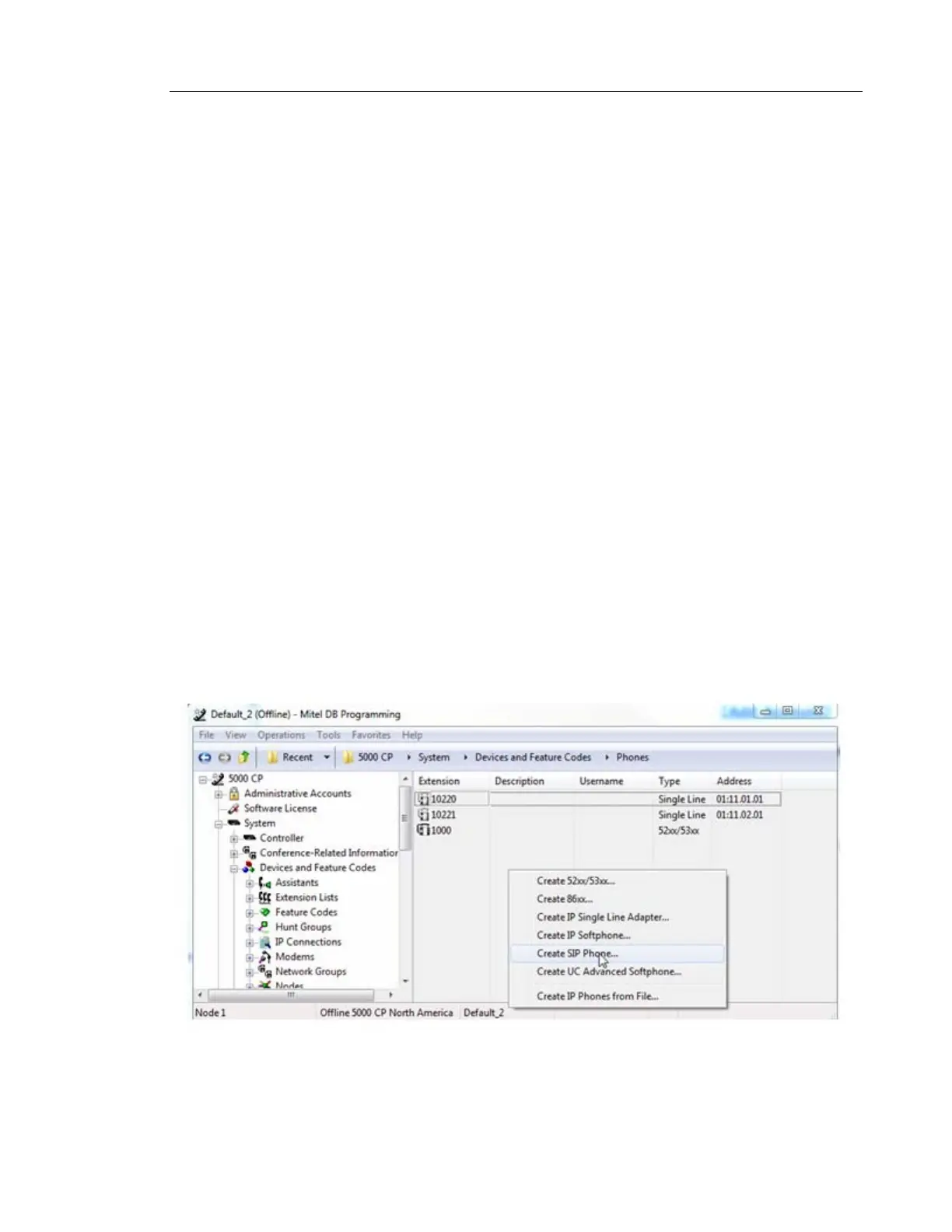
1. In Database Programming, go to System/Devices and Feature Codes/Phones.
2. In the right-side pane, right-click and select Create SIP phone.



 To Next Page