UC360 Administration Guide
SIP Device Capabilities
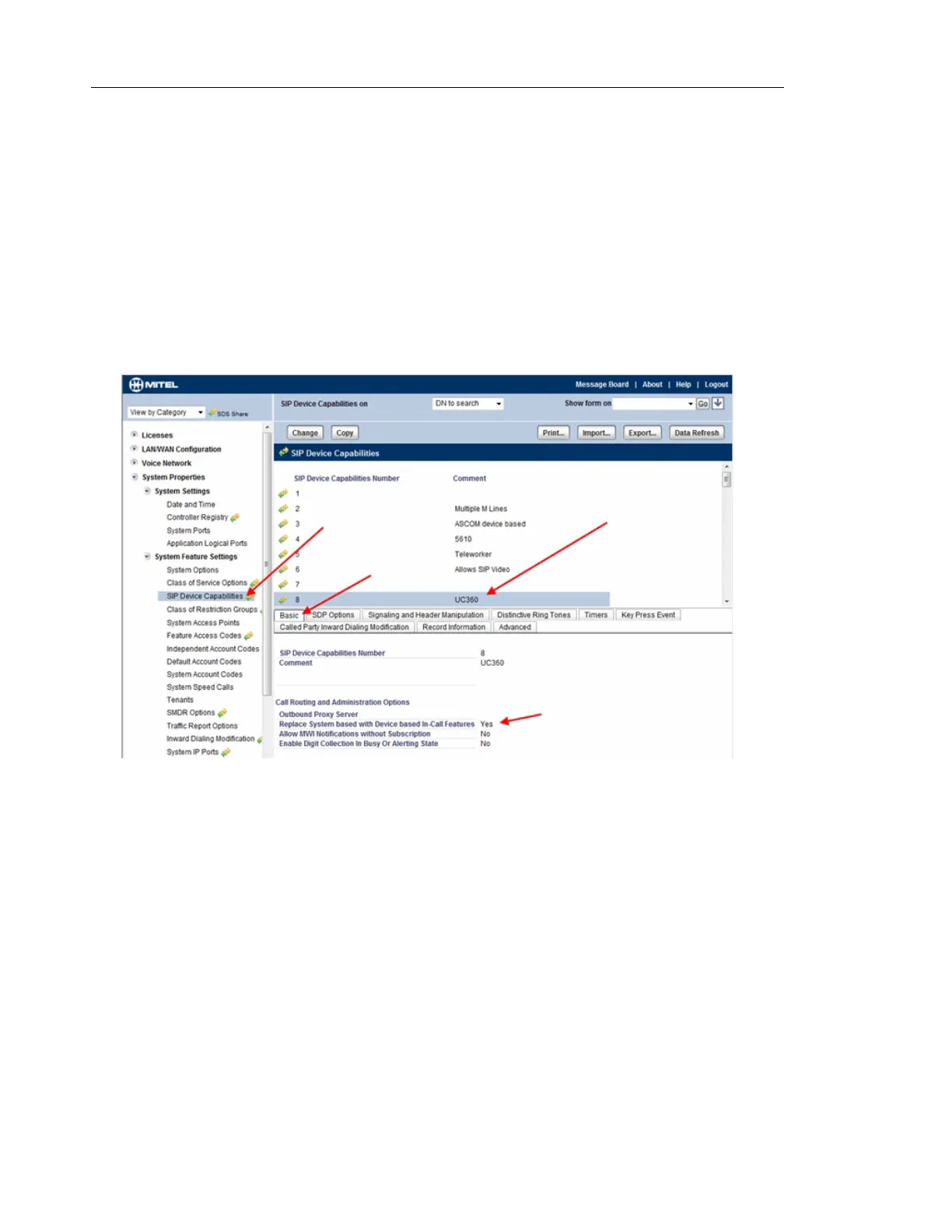
You can find this form from View Alphabetically -> SIP Device Capabilities.
1. Select the SIP Device Capabilities form.
2. Select the number you programmed in SIP Service Selection. Please note that multiple
UC360’s can use the same number configured in the form. In this example, 8 is used for
the UC360.
3. Under the Basic Tab, enable Replace System based with Device based In-Call Features.
SIP Device Capabilities number 8 (below) matches the number used in example defined
in Service Details tab.



 To Next Page