MCD Configuration for the UC360
SDP Options
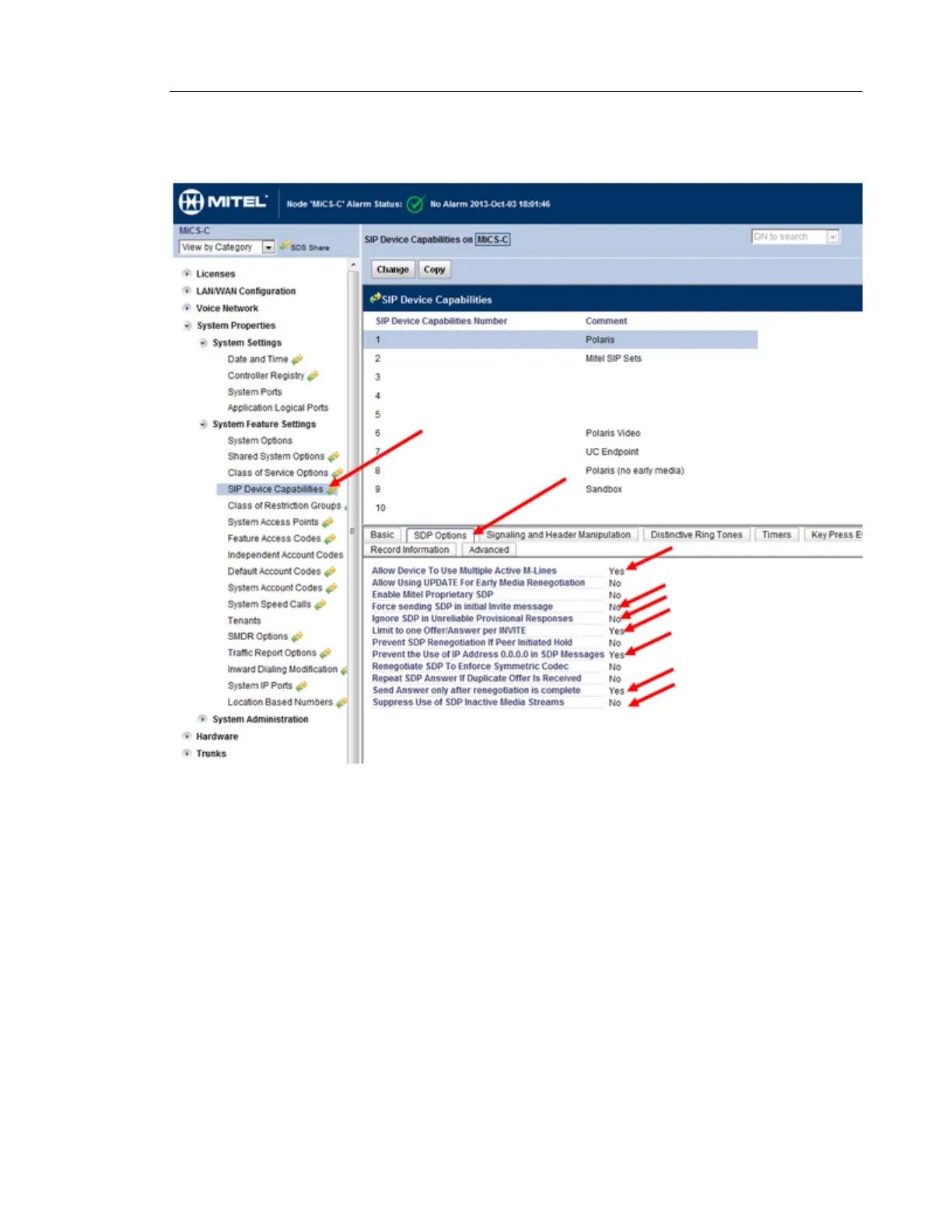
1. Select the SDP Options tab under SIP Device Capabilities.
2. Enable the following settings:
- Allow Device to User Multiple Active M-Lines
- Limit to one Offer/Answer per INVITE
- Prevent the User of IP Address 0.0.0.0 in SDP Messages
- Send Answer only after renegotiation is complete.
3. Disable the following setting:
- Force sending SDP in initial Invite message
- Ignore SDP in Unreliable Provisional Responses
- Suppress Use of SDP Inactive Media Streams



 To Next Page