EN-14
Viewing video images
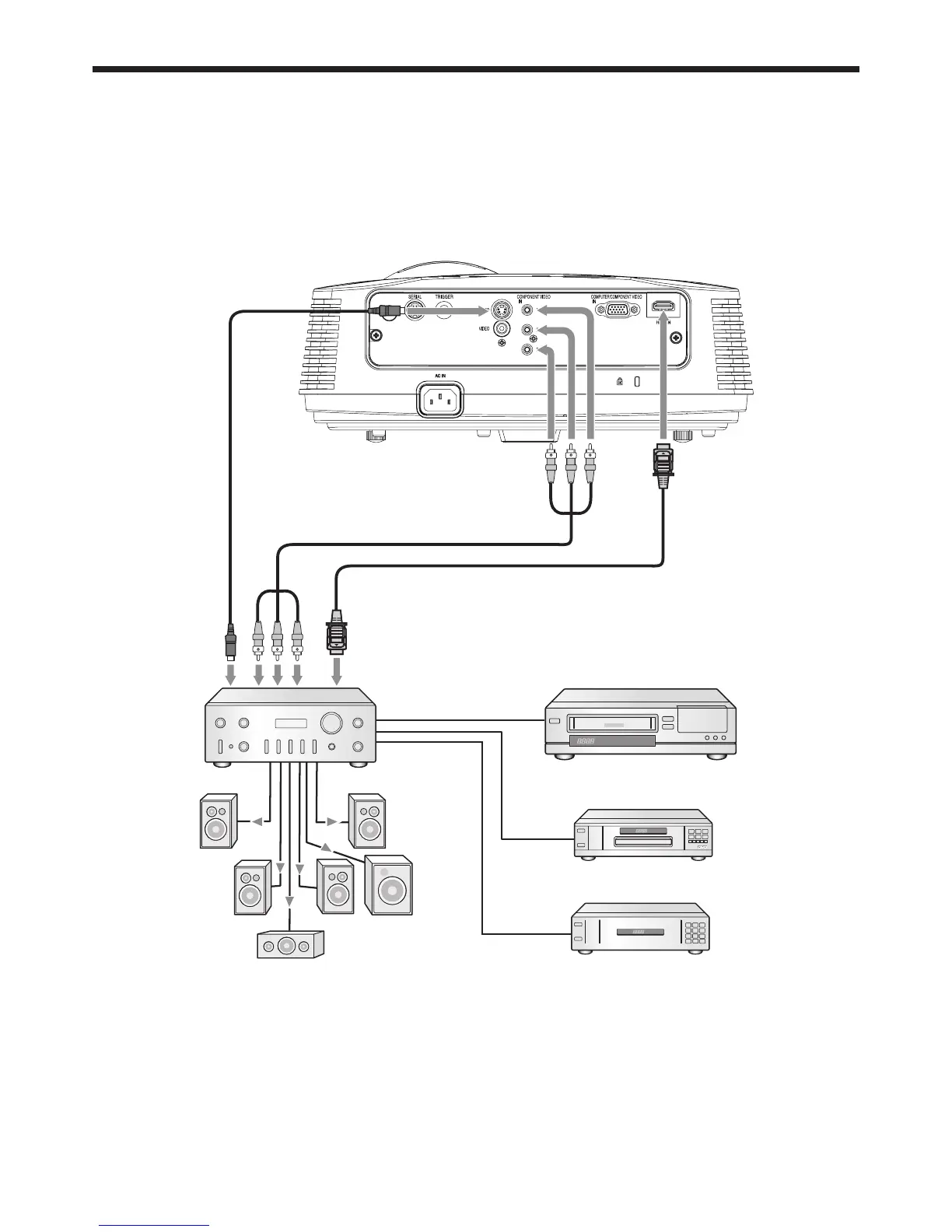
A. Connecting the projector to video equipment
When the projector and the connected devices are located too close to each other, the projected image may be
affected by their interference.
See the owner’s guide of each device for details about its connections.
Preparation:
Make sure that the power of the projector and that of the video equipment are turned off.
Basic home theater system connection
DVD player
Video player
Set-top box or digital tuner
•
•
•

 To Next Page
 Loading...