24
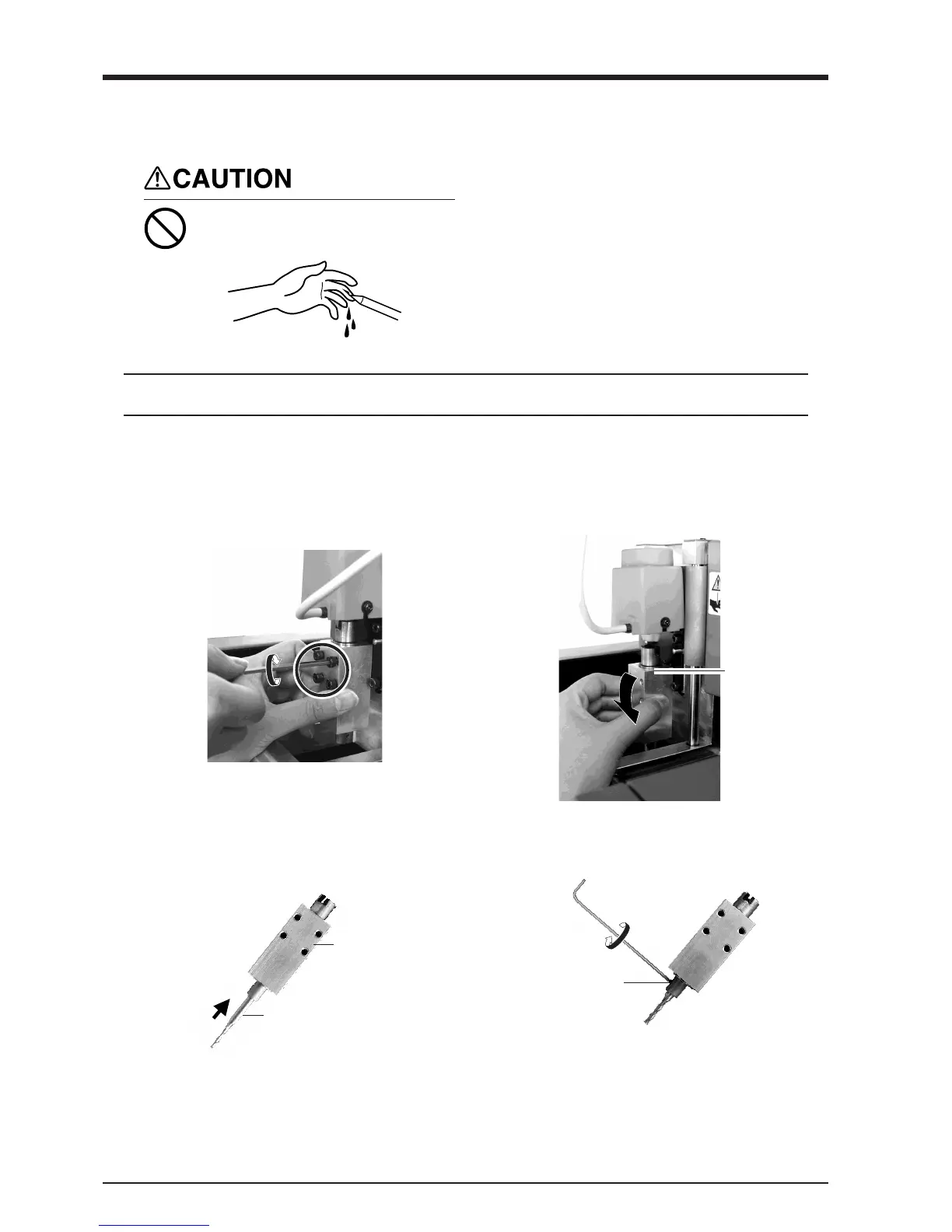
Attach the cutting tool securely so that it does not come loose during cutting.
NOTICE
Install the Cutting Tool
Do not touch the tip of the cutting
tool with your fingers.
Doing so may result in injury.
1
While supporting the spindle by hand, remove the
screws at the four places in the figure.
2
Pull out the spindle from below to remove it.
To install a cutting tool, remove the spindle. It’s not necessary to remove the whole spindle unit.
Spindle
3
Insert the cutting tool into the spindle.
The cutting tool must not be inserted beyond the
shank.
4
Use a hexagonal wrench (size : 1.5 mm) to attach
the included set screws to one side only.
Spindle
Cutting tool
Set screw
* Insert the set screw straight and install.



 To Next Page