28
Powering ON
NOTICE
Before switching on the power to the MODELA, turn on the computer.
1
Press the STANDBY key.
The STANDBY LED lights up.
2
The unit performs initial operation and stops, and
the VIEW LED and MODELING MODE LED
light up.
* During initial operation, a sound may be heard
for some 20 seconds at the time of origin
detection.
Do not perform cutting using cutting oil. Doing so may result in breakdown.
NOTICE
Perform Surfacing
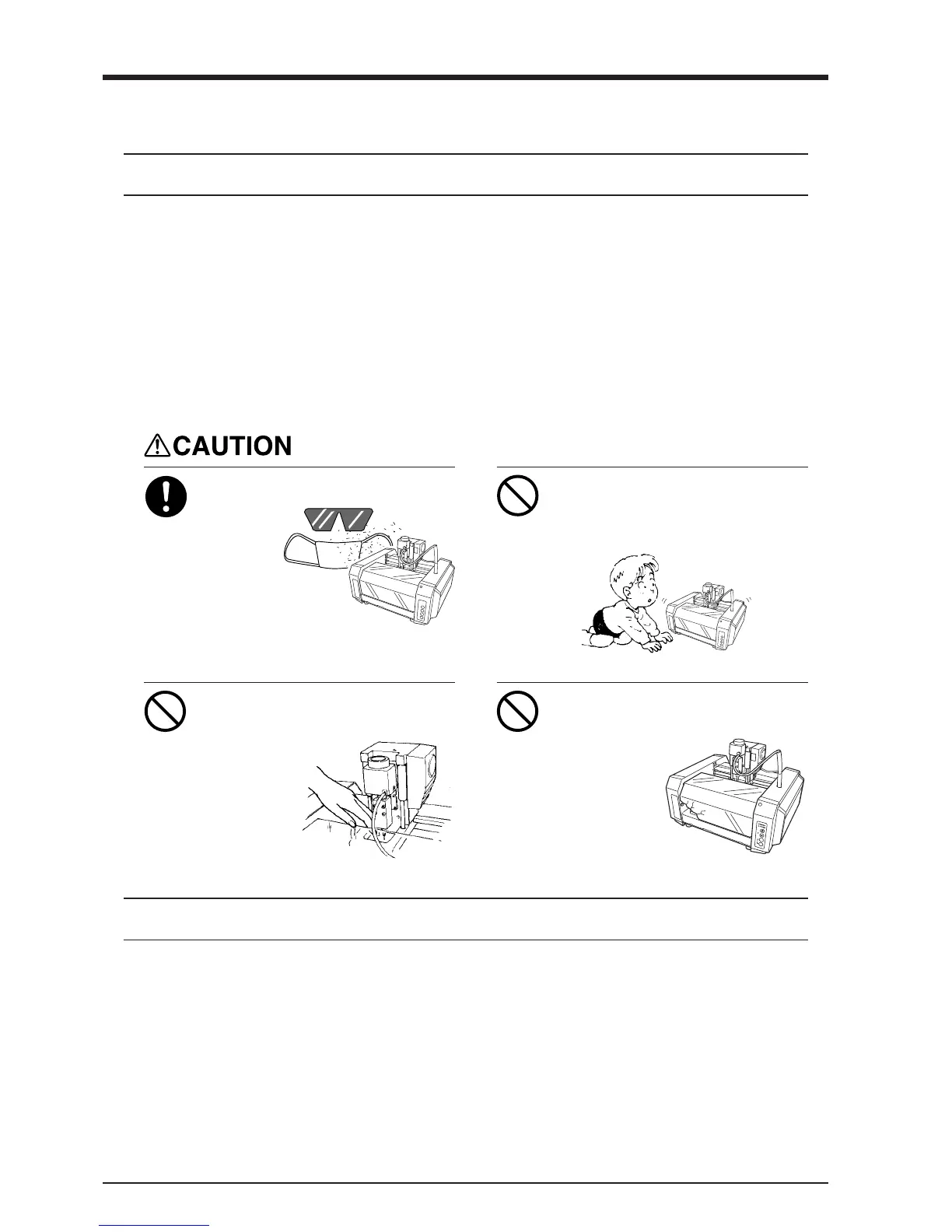
During cutting or scanning, do not
place hands near the cutting tool or
the probe.
Doing so may
result in injury.
Do not operate if a transparent cover
is cracked or broken.
If the transparent
cover at the front
or the side of the
unit is cracked,
contact a service
agent
immediately for
repairs.
U
P
D
O
W
N
T
O
O
L
Do not allow children to operate
without adult supervision or operate
within reach of young children.
Doing so may result in injury.
Wear dust goggles and mask during
use.
Cutting dust
may scatter,
causing
bodily injury.
Cut the surface of the loaded workpiece to eliminate unevenness and create a level surface.
This is called "surfacing."
Follow the steps below to perform surfacing.
Refer to each item for the details of each step.
1. Set the depth-direction reference point.
Set the depth-direction reference point on the top surface of the workpiece.
MODELA takes the position of the tool just before starting cutting as the depth-direction reference point.



 To Next Page