22
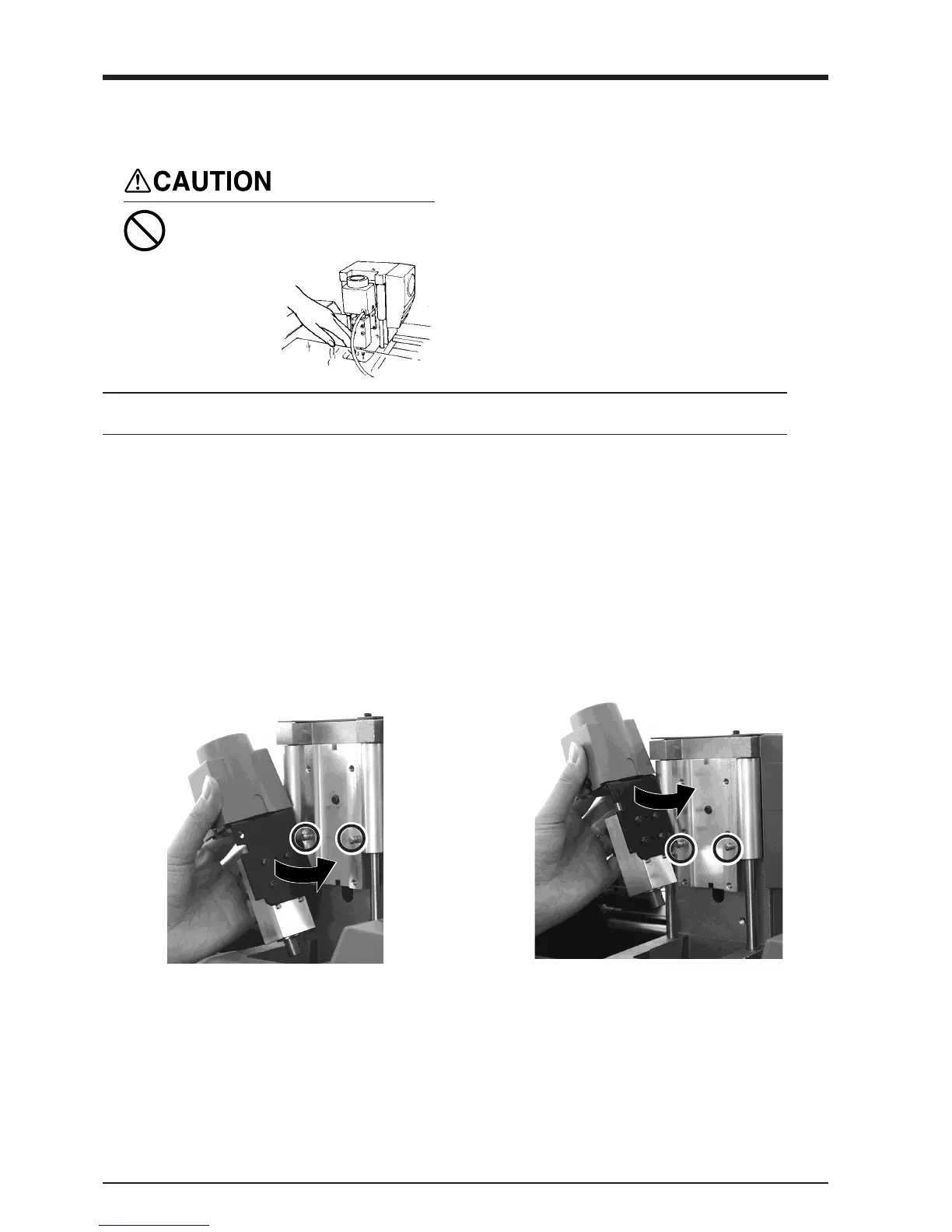
Attach the Spindle Unit
Before attaching the spindle unit, make sure the power to the Modela is switched off.
During cutting or scanning, keep
hands away from the cutting tool
and the probe.
Doing so may
result in injury.
Attach the spindle unit securely so that it does not come loose during cutting.
NOTICE
1
Engage the notch on the spindle unit with the area
of the carriage shown in the figure, and press
down gently with your hand.
Attach the Spindle Unit
When mounting at the low
position
When mounting at the high
position



 To Next Page