19
This section provides a step-by-step explanation of the basic procedures for cutting a solid objects with MODELA.
In this section, it is assumed that you have already completed making the three-dimensional data for the solid object. It is assumed that
the three-dimensional data you have prepared is three-dimensional data in DXF format.
- Open the three-dimensional data with MODELA Player and set the cutting parameters.
- Install the cutting tool and mount the workpiece on MODELA.
- Set the reference point for cutting.
- Perform surfacing and start cutting.
This explanation takes the sample data for the MODELA programs as an example of a solid object to be cut.
6 Operation Guide [Cutting Section]
2
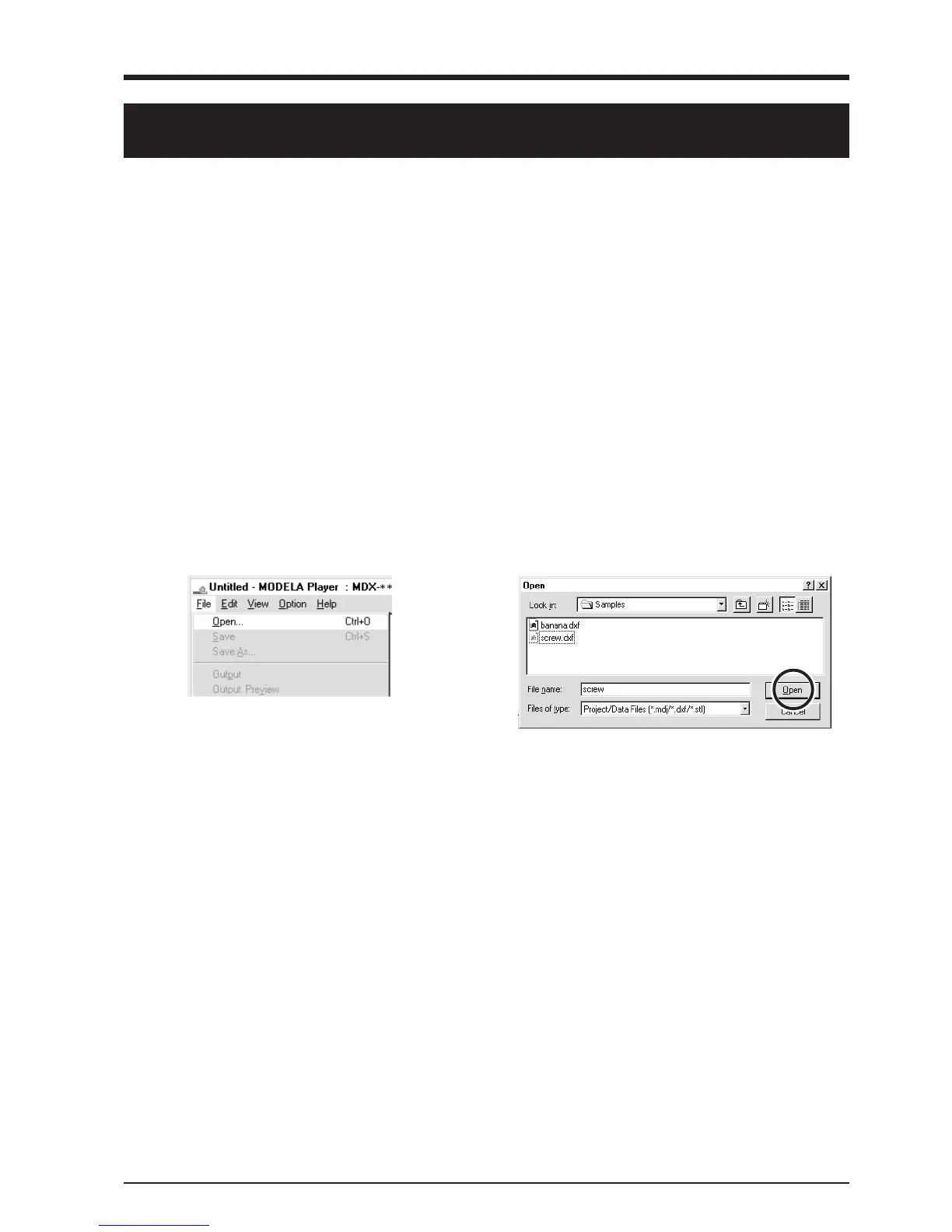
Choose the desired file and click [Open].
1
From the [File] menu, click [Open...].
The [Open] dialog box appears.
Create the Cutting Data
Prepare the data to be cut with MODELA, and set the cutting parameters with MODELA Player.
Open the File
Set the Cutting Parameters
The cutting parameters are the parameters for cutting the solid object.
For MODELA Player, make these settings:
Cutting surface : The surface of the solid object to be cut
Size : The size of the finished object
Depth : The depth of cutting
Material : The composition of the workpiece to be cut
Cutting process : The stage of cutting
Tool : The diameter of the cutting tool and the shape of the tool’s tip
* When you set the parameters, the optimal movement speed, cutting-in amount, and so on when performing cutting under
these conditions are selected.
When you use workpieces and tools for which choices are already available, then unless an incorrect selection is made, there
is practically no chance of the tool breaking. Choose the loaded workpiece and the installed tool.
When you use workpieces and tools for which choices are not available, the cutting parameters must be entered with great
care. An incorrect setting may result in overload that makes it possible for correct cutting to continue, and in worst cases may
cause the tool to break.



 To Next Page