37
5
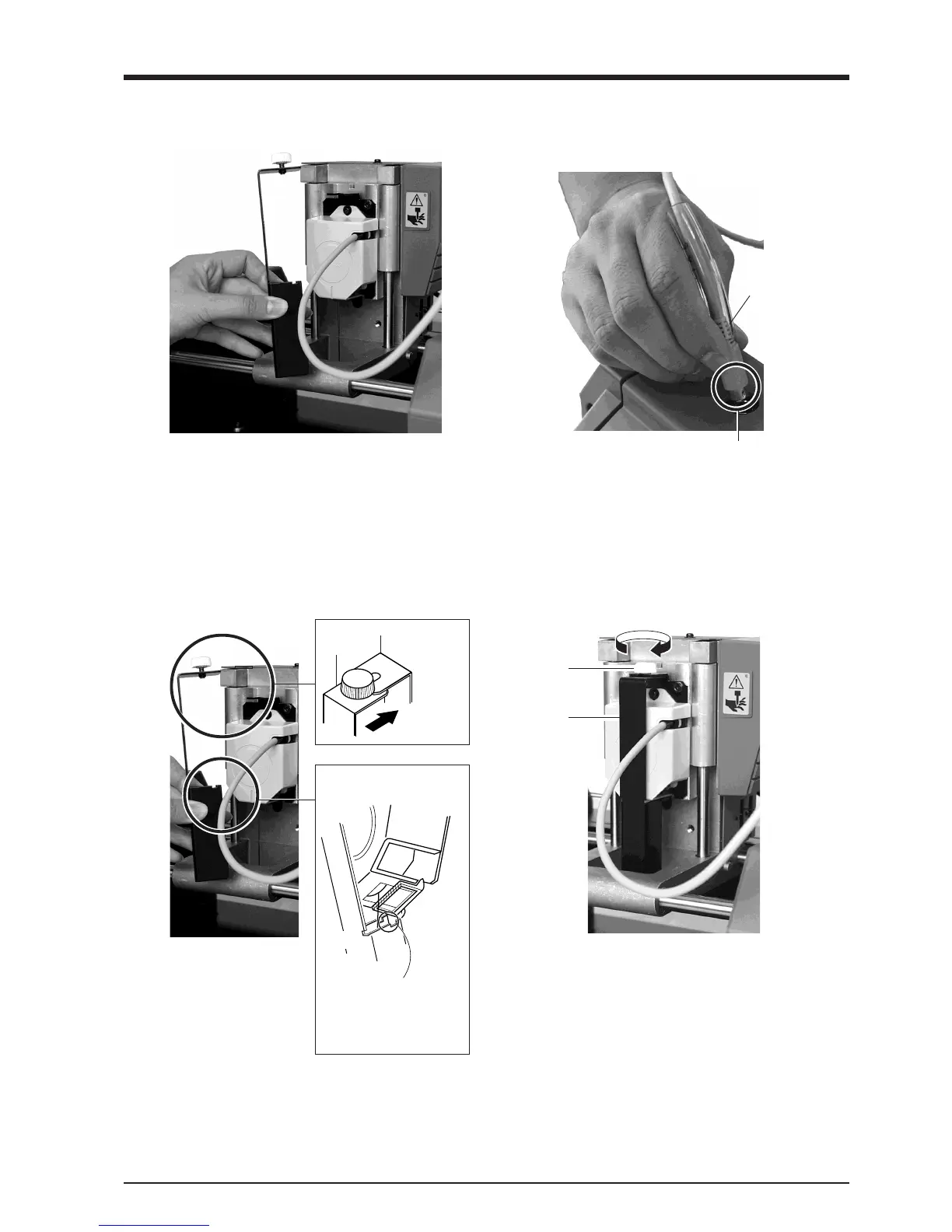
Pull the cover back to remove it.
Detaching the Sensor Unit
12
While gently pressing down on the cover with one
hand, tighten the screw shown in the figure.
Fit the cover onto the sensor unit as shown in the
figure.
Sensor unit
Cover
3
Remove the sensor unit by following steps 2, 3,
and 6 of "Attach the Sensor Unit" in reverse order.
Fit the notch in
the cover into
the area shown
by slanted lines.
Sensor unit
Cover
6
Make sure the tube is at the position shown in the
figure.
Insert the plug for the sensor unit into the jack.
Tube
Make sure it
is at the base
of the cord.
Position the connector so the arrow
points to the back of the unit and insert.
Screw
Cover



 To Next Page