42
4
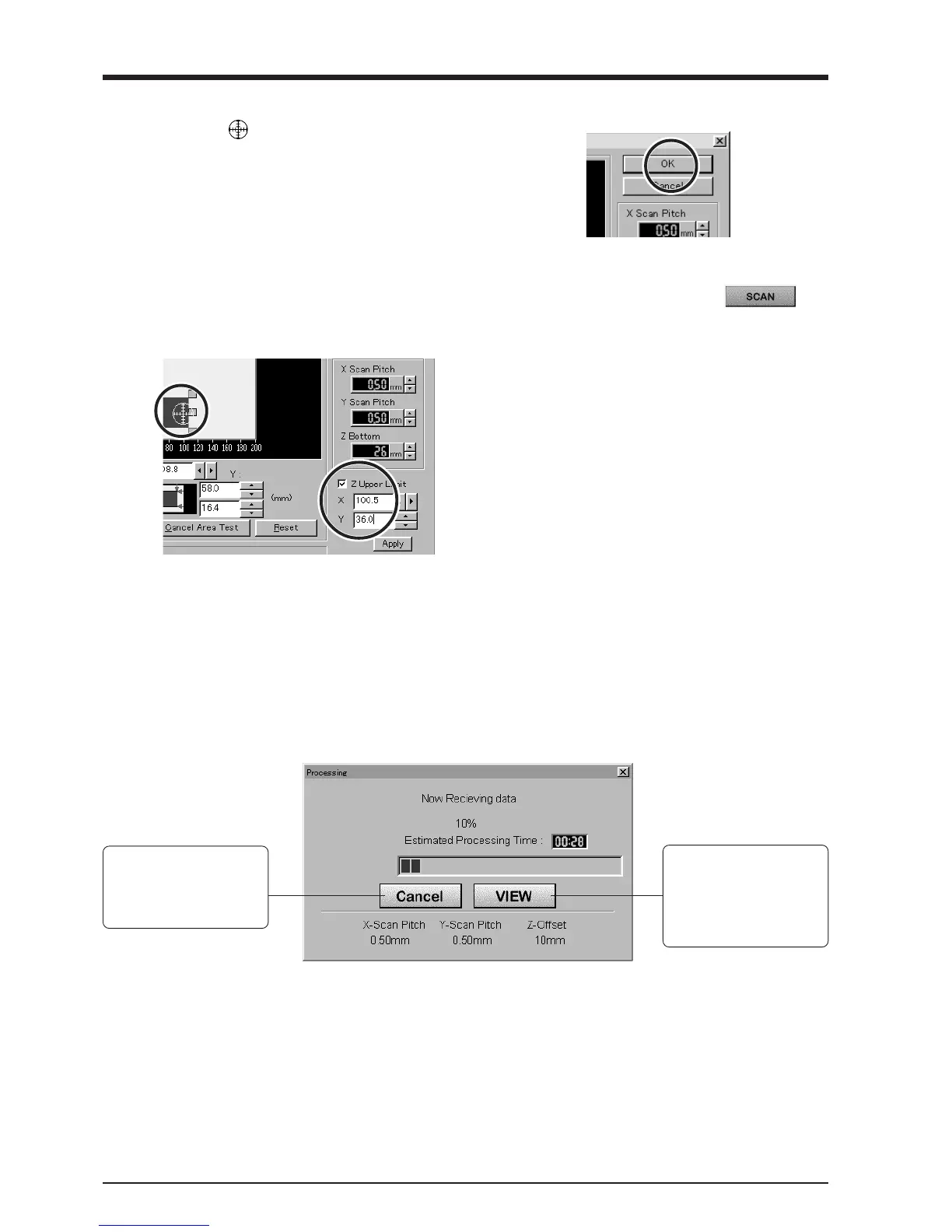
Click [Z Upper Limit].
The cursor
is displayed on the Z upper-limit
setting on screen.
Specify the highest position of the scan object.
Clicking [Apply] or double-clicking on the target
lowers the sensors to the target's center position.
If the target is displaced, redo the settings.
* Set the Z upper limit to the highest
position on the object to be scanned.
During scanning, if the sensor detects a
position higher than the Z upper-limit
setting, the setting is cleared and scanning
continues with the greatest scan height of
Dr. PICZA as the Z upper limit.
5
After determining the scanning area, click [OK].
6
Check the scanning conditions in the Controller
window one more time, then click
.
Scanning starts. (During scanning, the sensor may
emit a transmission sound, but this is normal.)
Cancels scanning/Pauses scanning
Cancels scanning. Any
data scanned before being
canceled remains in
memory.
Scanning pauses and the
table moves toward the
front of the unit.
Click [VIEW] again to
resume scanning.
- For the scanning area and Z upper limit, please refer to "7 Operation Guide [scanning section] About scanning conditions and the
scanning area".
- For detailed description of the available Controller buttons, please refer to the help screens for Dr. PICZA.



 To Next Page