51
Save the data
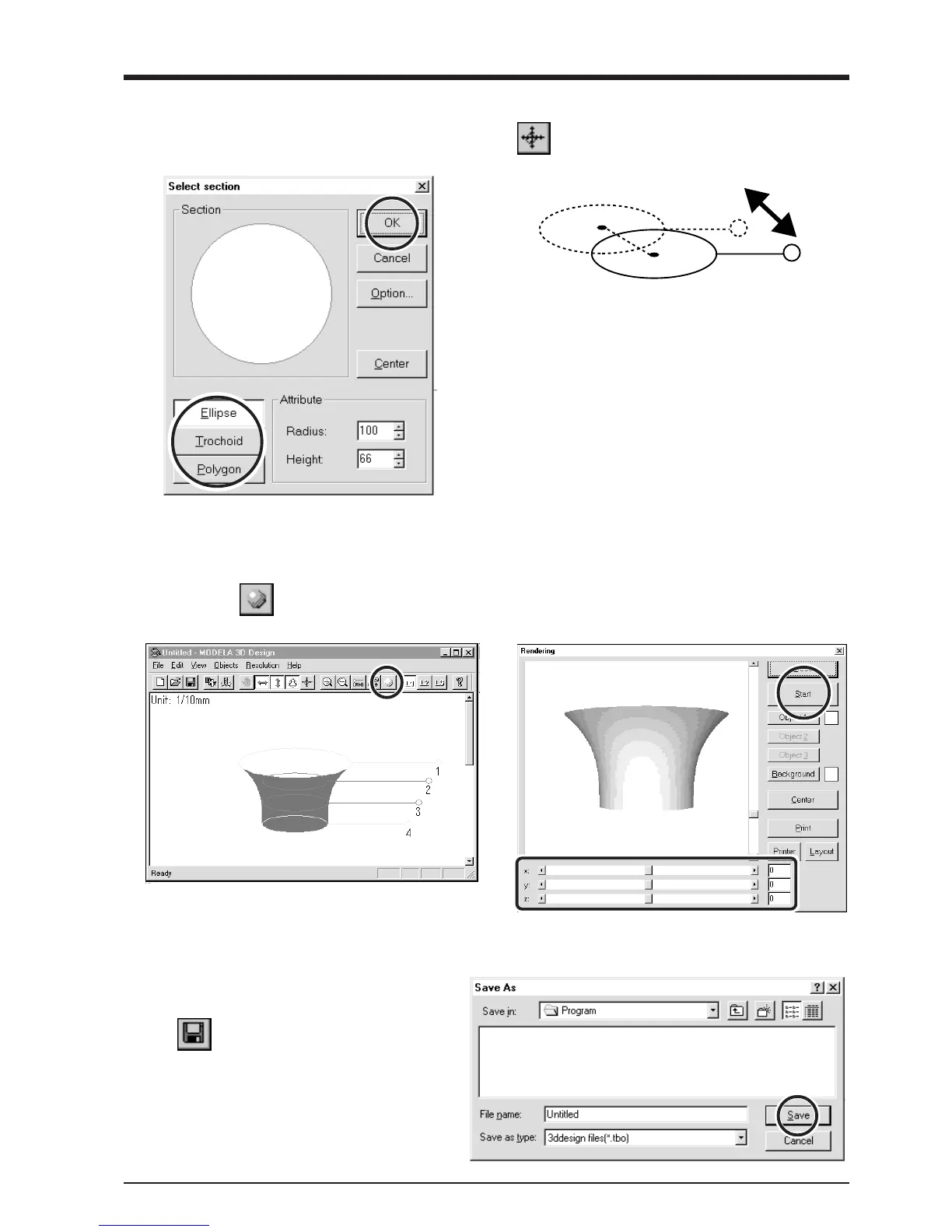
Click the .
The [Save As] dialog box appears.
Enter the name of the file and click [Save].
To change the shape of the outer perimeter, right-click on
a reference line.
The [Select section] dialog box appears.
Make the settings to obtain the desired shape.
To change the centerpoint of the outer perimeter, click
and drag the reference line.
Check the shape
1
Click the .
The [Rendering] dialog box appears.
2
Drag the scroll box for the X, Y, or Z scroll bar.
The object rotates, letting you view it from various
perspectives. To color the object, click [Start].



 To Next Page