53
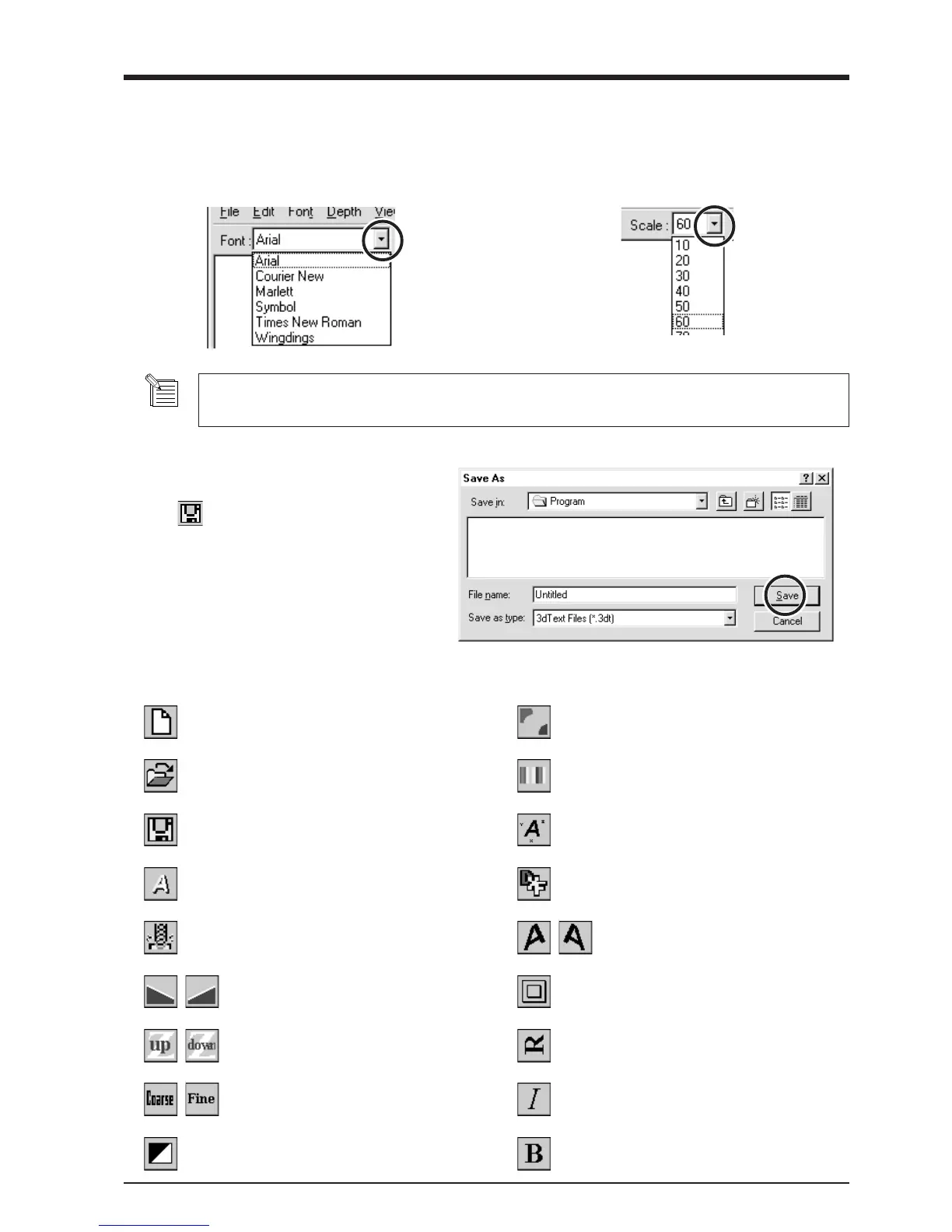
Determine the Font and Size of the Text
1
Click the [Font] drop-down arrow, then click on a
font name.
2
Click the [Scale] drop-down arrow, then click on a
size.
- You cannot specify a font size that is not listed.
- If you want to know the size of the entire text string that you typed in, click [Show Information].
Description of Controls
Save the data
Click the .
The [Save As] dialog box appears.
Enter the name of the file and click [Save].
This opens new file.
This opens an existing file.
This saves the file, overwriting the previous data.
This changes how the object is displayed.
This starts MODELA Player.
This lets you choose the color of the object from
among ten available colors.
This slants the text in the height direction.
This changes the height of the text.
This inverts the background color.
This determines the roughness of curved
portions of the text.
This assigns the desired color to the object.
This displays dimensions around the object.
This saves the data as a DXF file.
This slants each individual character to the
left or right.
This puts a frame around the text.
This rotates each individual character 90 degrees
counterclockwise.
This makes the text italic.
This makes the text bold.



 To Next Page