25
USA Ed. 0215
10.2 - COOKING: START OF A PROGRAM
10 • COOKING
and place the food to be cooked.
Close the door.
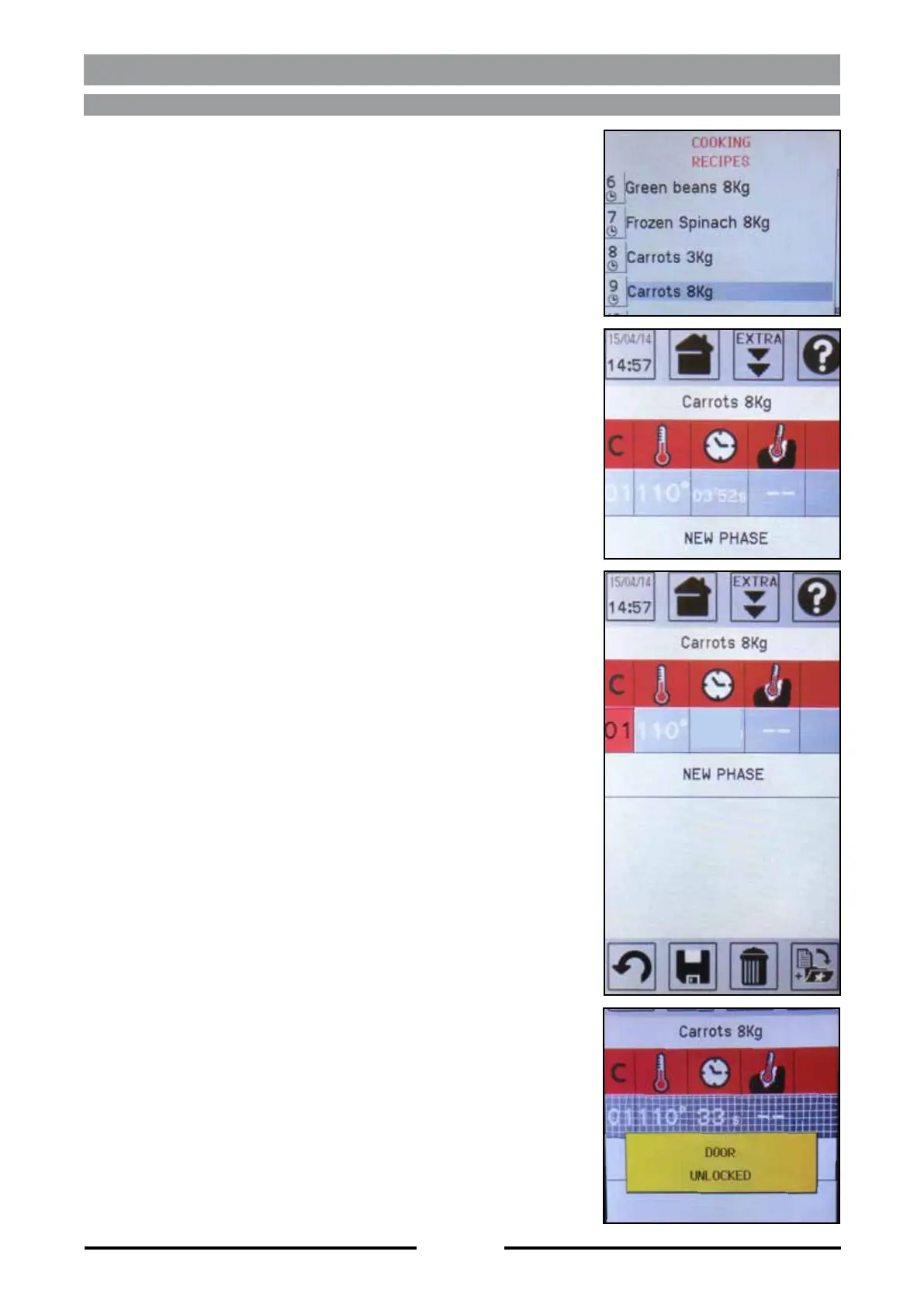
program you’d like to start-up by using the Touch
Screen or the knob.
After start-up, the cycle number of the current pro-
gram will become the same colour as the icons’
background.
are left to reach the value of the set temperature
will be superimposed by a grid, and a short acoustic
signal warning the operator about the completed
cycle.
acoustic signal warns the operator about the comple-
ted program, and all cycles are superimposed by a
grid.
After cooking is completed, the chamber is cooled,
seconds, the door is unlocked to allow the opening of
the oven.
NOTA: once the program has started, you can chan-
-
lues remain in the local memory; to save them select
-
ters return to the initial values.
03’52s


 To Next Page