www.miinet.comMoore Industries-International, Inc.
- 41 -
User’s Manual
224-790-00K
May 2018
Programmable Limit Alarm Trips
SPA
2
SECTION 4
Scaling the Analog Output (-AO Option)
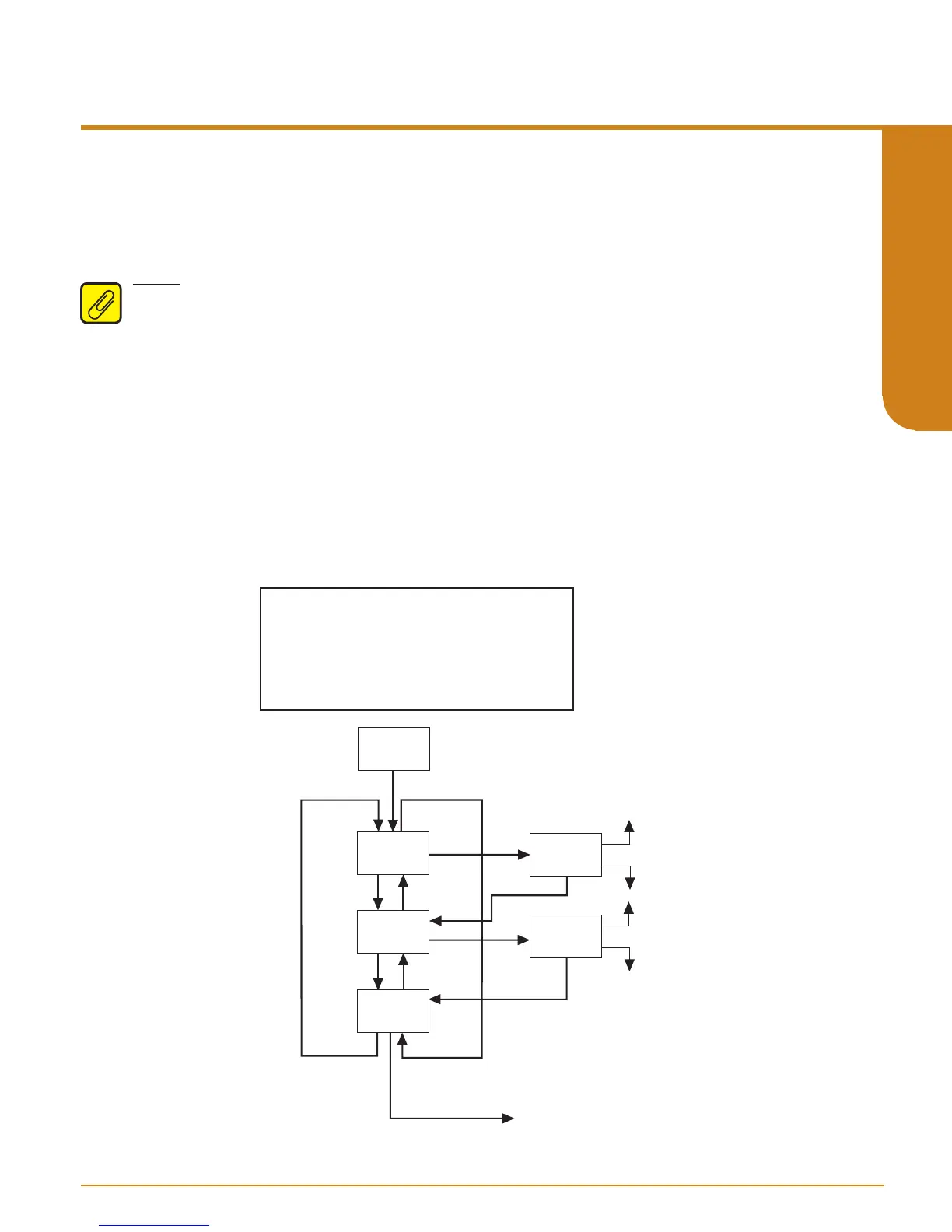
Figure 4.11. gives an overview of the Analog Output Scaling menu.
Follow these instructions to scale the analog output after you have performed the configuration.
Note: When using the front panel pushbuttons to enter your scaling values, you may enter only
values to one decimal place (tenths). To adjust your value past one decimal place, you must use
the PC Configuration Program.
1. At the “SCALE AOUT” display, press SELECT.
2. Press SELECT at the “AOUT ZERO” parameter and enter the value you want to output when
your input is at zero. Press SELECT.
3. Press SELECT at the “AOUT FULL” screen. Enter the value you want to output when your
input is at full scale. Press SELECT.
4. “EXIT SCALE” appears. If all scaling parameters have been set, press SELECT.
Figure 4.11. SCALE AOUT Menu
SCALE
AOUT
D
D
D
U
U
AOUT
ZERO
AOUT
FULL
EXIT
SCALE
SEL
U
SEL
SEL
TRIM AOUT menu
XXXXX
MA/VOLT
U
D
SEL
XXXXX
MA/VOLT
U
D
SEL
SEL
1. When setting zero and full values,
the values displayed are the analog output.
2. Update your analog output during -AO scaling.
3. Rearranging values nulls your trim value.
4. Implement "auto increment" when incrementing
and decrementing zero and full counts.
NOTES:


 To Next Page