High voltage! Risk of fatal injuries!
High currents in battery-powered systems can lead to
serious injuries or death.
• Never use a wet cloth or hold the system components
under running water for cleaning purposes.
• Always switch off the power supply before cleaning.
Damage to components!
Improper handling and incorrect cleaning can damage the
components.
• Do not use scouring pads, abrasive powders and/or
solvents such as alcohol or benzine for cleaning.
• Use a moist, soft towel or sponge to clean the camera
lenses.
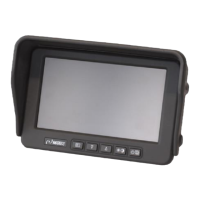
Cleaning the monitor
• Use a clean, dry cloth to wipe off fingerprints and dust.
• Do not use cleaning fluids, antistatic spray or solvents
such as benzine, paint thinner or other commercially
available chemicals.
• Stubborn stains can be removed with a damp window
leather.
Cleaning the camera lenses
Dirty camera lenses provide a poor image quality. Large
adhesions on the lens create zones that cannot be
observed and blind spots.
• Use a moist, soft towel or sponge to clean the camera
lenses.



 To Next Page