INSTALLING THE 4PRE HARDWARE
22
CONNECT AUDIO INPUTS AND OUTPUTS
Here are a few things to keep in mind as you are
making audio connections to other devices.
Mic/instrument inputs
Connect a microphone, guitar, keyboard or other
analog input to the XLR/TRS combo jack with
either a standard mic cable or a balanced cable with
a quarter-inch plug. The quarter-inch jacks on
inputs 3-4 provide higher impedance suitable for
DI guitar input.
☛ Do not connect a +4 (line level) XLR cable to
the mic inputs (because of the preamps).
Phantom power
If you are connecting a condenser microphone or
other device that requires phantom power, enable
phantom power as follows:
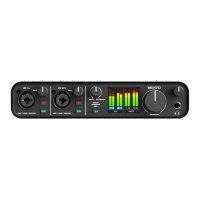
1 Push the TRIM/MIX knob repeatedly until the
green trim LED is illuminated on the front panel.
2 Push and hold the corresponding TRIM/MIX
knob for a few seconds to toggle phantom power.
The red 48V LED will turn on or off accordingly.
Tr i m
The XLR mic input and the TRS instrument input
are equipped with 60 dB and 22 dB of trim control,
respectively. Use the digital trim encoders on the
front panel to adjust the input level for each input
as follows:
1 Push the MIX knob repeatedly until the green
trim LED is illuminated on the front panel.
2 Turn the TRIM/MIX knob to adjust the trim.
The ten-segment MAIN OUT meters provide
visual feedback as you turn the knob. The 4pre’s
input trims are digitally controlled, so they allow
you to make fine-tuned adjustments in
approximately 1dB increments. You can also adjust
trim in the MOTU CueMix FX software. See “Input
trim” on page 53.
20 dB pad
Each XLR mic input is equipped with a -20 dB pad.
To toggle the pad for a mic input:
1 Push the MIX knob repeatedly until the green
trim LED is illuminated on the front panel.
2 Push the TRIM/MIX knob to toggle the pad.
The amber pad LED will turn on or off accordingly.
Combo jack summary
Use these general guidelines for the 48V phantom
power, pad and trim settings on the two combo
input jacks:
Main outs
In a standard studio configuration, the main outs
are intended for a pair of studio monitors, but they
can also be used as regular outputs for any
purpose. Their reference level is +4dB. Use the
front panel MAIN knob to adjust the Main out
volume.
Outputs 3-4
The quarter-inch analog outputs (3-4) are
balanced (TRS) connectors that can also accept an
unbalanced plug. The quarter-inch outputs are
calibrated to produce a +4 dBu line level output
signal.
S/PDIF
If you make a S/PDIF digital audio connection to
another device, be sure to review the digital audio
clocking issues, as explained in “Connect and sync
S/PDIF devices” on page 23.
Input 48V Pad Trim
Condenser mic On As needed As needed
Dynamic mic Off As needed As needed
Guitar Off As needed As needed


 To Next Page