MOTU SMPTE CONSOLE
76
and switch to the incoming frame rate, except that
it cannot distinguish between 30 fps and 29.97 fps
time code, or 23.976 and 24 fps time code. So if you
are working with either of these rates, make sure
you choose the correct rate from this menu.
READER SECTION
The Reader section (on the left-hand side of the
window in Figure 10-1) provides settings for
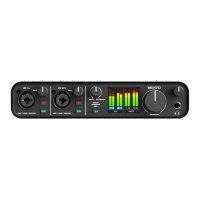
synchronizing the 4pre to SMPTE time code.
Status lights
The four status lights (Tach, Clock, Address and
Freewheel) give you feedback as follows.
Tach
The Tach light blinks once per second when the
4pre has successfully achieved lockup to SMPTE
time code and SMPTE frame locations are being
read.
Clock
The Clock light glows continuously when the 4pre
has successfully achieved lockup to an external
time base, such as SMPTE time code or the S/PDIF
input.
Address
The Address light glows continuously when the
4pre has successfully achieved lockup to SMPTE
time code.
Freewheel
The Freewheel light illuminates when the 4pre is
freewheeling address (time code), clock or both.
For details about Freewheeling, see “Freewheel
Address” and “Freewheel clock” below.
SMPTE source
Choose the analog input that is connected to the
time code source. This is the input that the 4pre
“listens” to for time code.
Freewheel Address
Freewheeling occurs when there is a glitch or
drop-out in the incoming time code for some
reason. The 4pre can freewheel past the drop-out
and then resume lockup again as soon as it receives
readable time code. Choose the amount of time
you would like the 4pre to freewheel before it gives
up and stops altogether.
The 4pre cannot freewheel address without clock.
Therefore, the Freewheel Address setting will always
be lower than or equal to the Freewheel Clock
setting, and both menus will update as needed,
depending on what you choose.
Keep in mind that freewheeling causes the system
to keep going for as long as the duration you choose
from this menu, even when you stop time code
intentionally. Therefore, if you are starting and
stopping time code frequently (such as from the
transports of a video deck), shorter freewheel
times are better. On the other hand, if you are
doing a one-pass transfer from tape that has bad
time code, longer freewheel times will help you get
past the problems in the time code.
The ‘Infinite’ freewheel setting
The Infinite freewheel setting in the Freewheel
Address menu causes the 4pre to freewheel
indefinitely, until it receives readable time code
again. To make it stop, click the Stop Freewheeling
button.
Freewheel clock
Freewheeling occurs when there is glitch or
drop-out in the incoming SMPTE time code for
some reason. The 4pre can freewheel past the
drop-out and then resume lockup again as soon as
it receives a stable, readable clock signal.


 To Next Page