4PRE FRONT PANEL OPERATION
38
on in the computer. Using the 4pre as a monitor
mixer in this fashion is a good way to avoid latency
(delay) issues that can arise when using audio
software on a computer. See chapter 8, “Reducing
Monitoring Latency” (page 45) for more
information about dealing with latency.
Using the 4pre as a stand-alone mixer
When the 4pre is not connected to a computer, it
can operate as a stand-alone mixer, and you can
use the front panel to control your mix.
VISUAL FEEDBACK WHEN ADJUSTING MIX
CONTROLS
When you turn a knob to adjust volume or pan, the
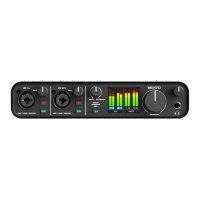
ten-segment MAIN OUT ladder LEDs provide
visual feedback as you turn the knob.
METERING AND ACTIVITY LEDS
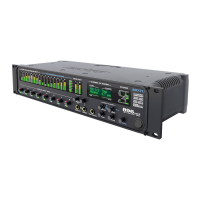
The Line Out LEDs (Figure 6-3) indicate output
activity on the quarter-inch Line Out 3-4 jacks.
The SPDIF LEDs (Figure 6-3) indicate input and
output activity on the digital audio jacks.
The MAIN OUT meters (Figure 6-1) provide ten-
segment metering for the Main Outs.
The INPUTS meters provide five-segment
metering for the mic/instrument combo jacks.
RESTORING FACTORY DEFAULTS
To restore factory default settings hold down the
MIX and PHONES knobs simultaneously for three
(3) seconds.


 To Next Page