MOTU AUDIO CONSOLE
34
will make your software respond faster; raising the
Samples Per Buffer will make it a little bit slower, but
barely enough to notice.
Monitoring live inputs without plug-in effects
As mentioned earlier, CueMix FX allows you to
monitor dry, unprocessed live inputs with no delay
at all. For complete details, see chapter 8,
“Reducing Monitoring Latency” (page 45).
Use stereo pairs for Windows audio
Some legacy Windows audio applications require
audio channels to be grouped in stereo pairs. If you
are using old Windows audio software, and you are
having issues accessing 4pre channels from within
the software, make sure to enable the Use Stereo
Pairs for Windows Audio option.
Use WaveRT for Windows audio
If your host software supports WaveRT, enable this
option. Consult your host application
documentation for details.
Enable Pedal
This setting applies to other MOTU audio
interfaces, but it does not apply to the 4pre.
‘4PRE’ TAB SETTINGS
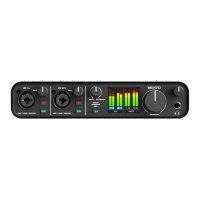
Phones Assign
The Phones Assign setting lets you choose what you
will hear from the headphone jack. Choose Main
Out 1-2 if you’d like the headphone output to match
the main outs. Choose Phones 1-2 if you would like
the headphones to serve as their own independent
output, which you can access as an independent
output destination in your host audio software and
as an output destination for the four on-board
CueMix FX mix busses.


 To Next Page