11
5
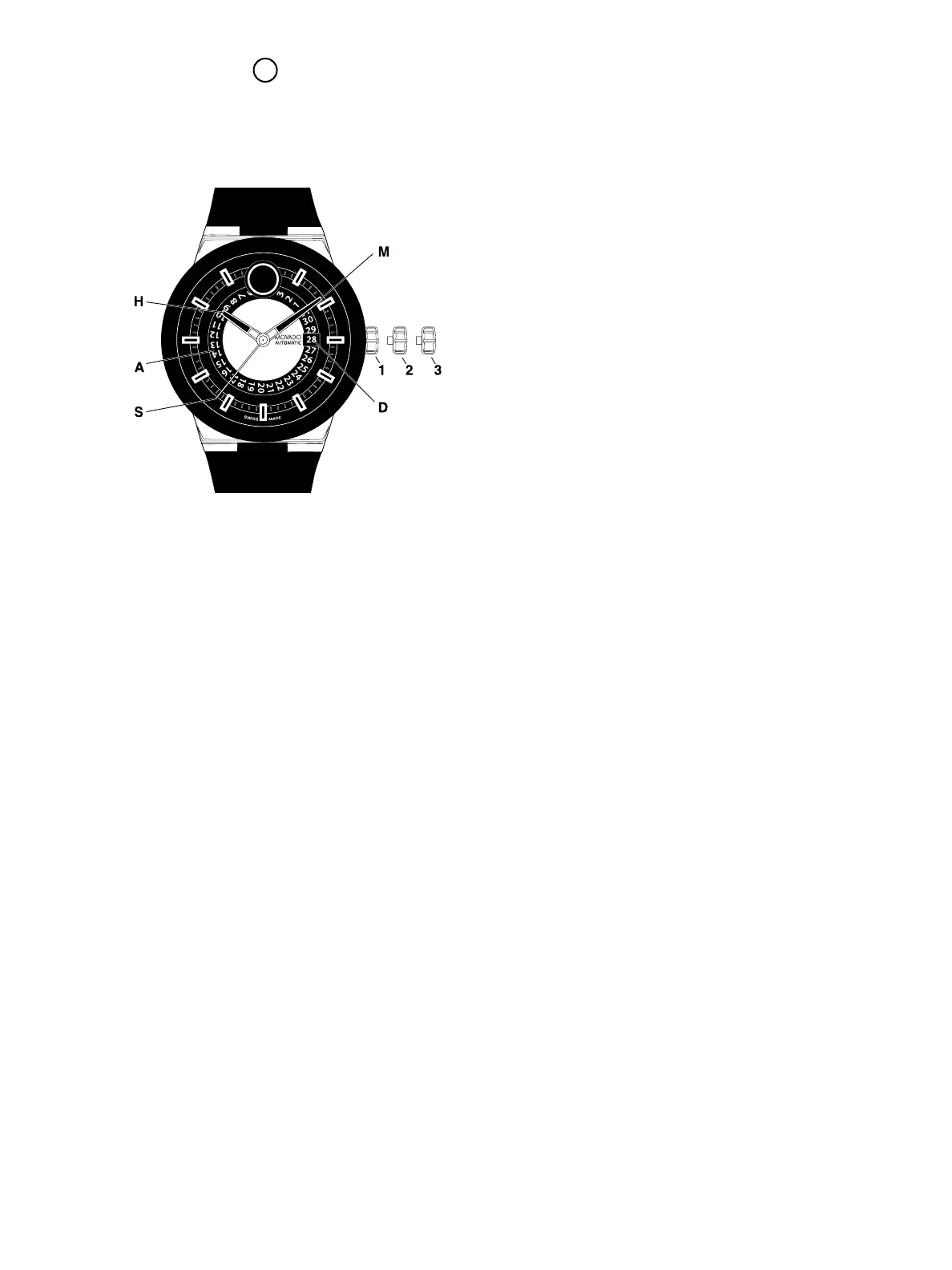
STANDARD 3-HAND AUTOMATIC
Includes BOLD Fusion Automatic
LEGEND:
A – Date indicator plate
D – Date window
H – Hour hand
M – Minute hand
S – Seconds hand
1, 2, 3 – Crown positions
Crown positions:
Position 1 – Normal running position.
Crown pushed into case.
Position 2 – Correction of Date:
Pull the crown out to position 2 (watch
still running).
Turn crown counterclockwise until the
desired date appears in date window
D. Push the crown back to position 1.
Position 3 – Time-setting position:
Pull the crown out to position 3 (watch
stopped).
Turn the crown in either direction until
the desired time is displayed. Push the
crown back to position 1.
To manually wind an automatic movement:
The motion of your arm during normal daily
activities should be sufficient to keep the movement
of your Movado automatic timepiece wound.
However, if you have not worn your watch for
40 hours or more, and the watch has stopped, you
will need to wind it by hand before setting the time:
1. With the crown in position 1, turn the crown
clockwise approximately 20 revolutions.
2. Reset time following instructions above.
Automatic watches do not contain batteries. They
are charged by the movement of your wrist. If the
watch is not worn it will stop running in about
40 hours. To get it started, turn the crown clockwise
about 20-30 times until second hand starts moving.
You will most likely need to reset the time and date.
FIGURE A



 To Next Page