7
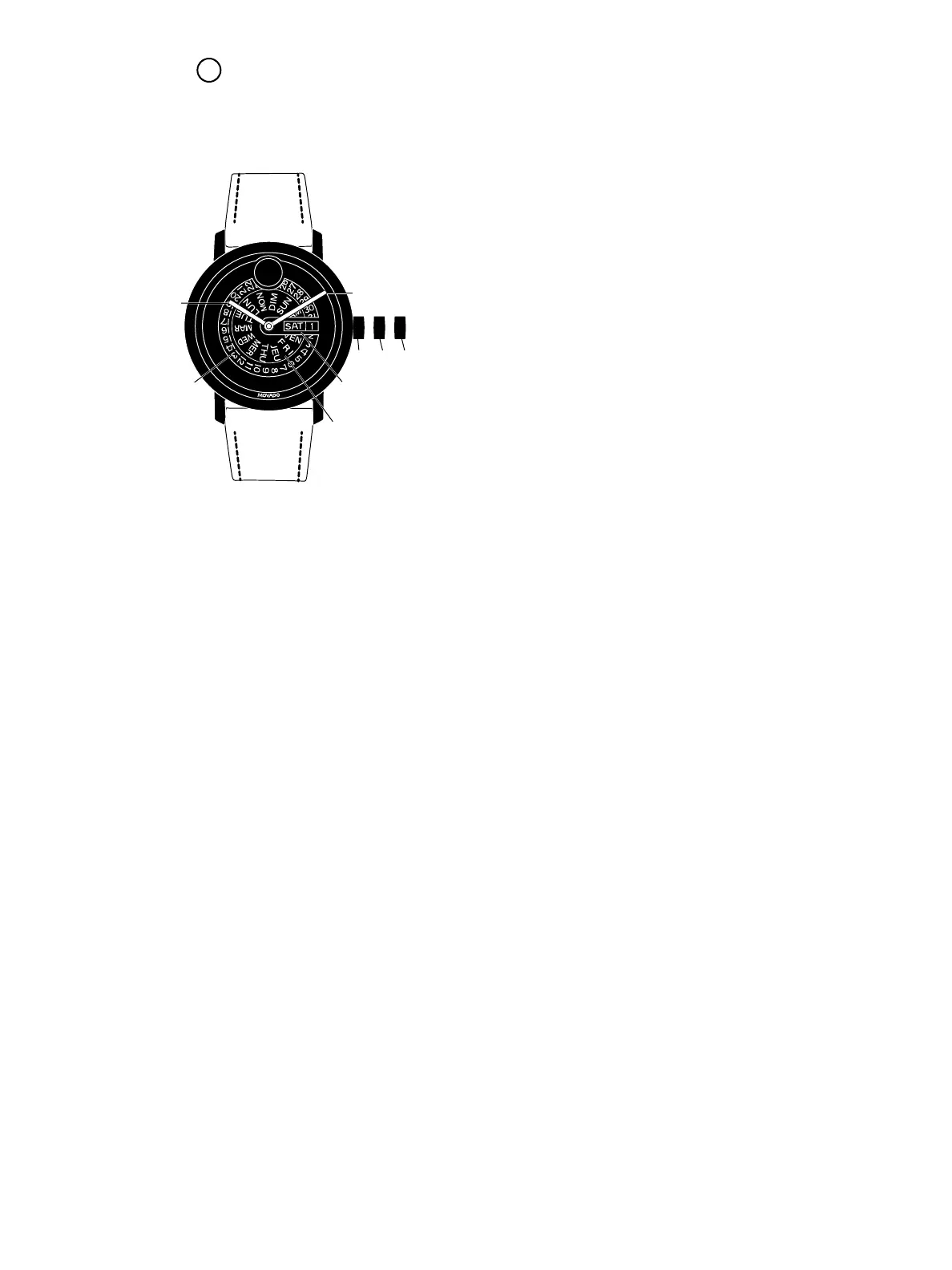
LEGEND:
H – Hour hand
M – Minute hand
D – Day/Date window
1, 2, 3 – Crown positions
A – Day indicator plate
B – Date indicator plate
Crown positions:
Position 1 – Normal running position; crown pushed
into case
Position 2 – Correction of Date + Day:
Correction of Day:
Pull the crown out to position 2
(watch still running). Turn crown
counterclockwise until the desired day
of the week appears in the required
language. Push the crown back to
position 1.
Position 3 – Time-setting position
Pull the crown out to position 3 (watch
stopped). Turn the crown until the
current time is displayed. Push the crown
back to position 1.
To set the time:
1. Pull crown out to position 3; watch stops.
2. Turn crown in either direction to move hands to
desired time.
3. Push crown back in to position 1; watch restarts,
now set to correct time.
To correct the date:
1. Pull crown out to position 2; watch continues
to run.
2. Turn crown clockwise until correct date appears in
day/date window D.
3. Push crown back in to position 1.
To correct the day:
1. Pull crown out to position 2; watch continues
to run.
2. Turn crown counterclockwise until correct day
appears in day/date window D.
3. Push crown back in to position 1.
1
STANDARD 2-HAND DAY/DATE – QUARTZ
Includes BOLD Evolution Day Date
1 2 3
M
H
B
D
A
FIGURE A



 To Next Page