24
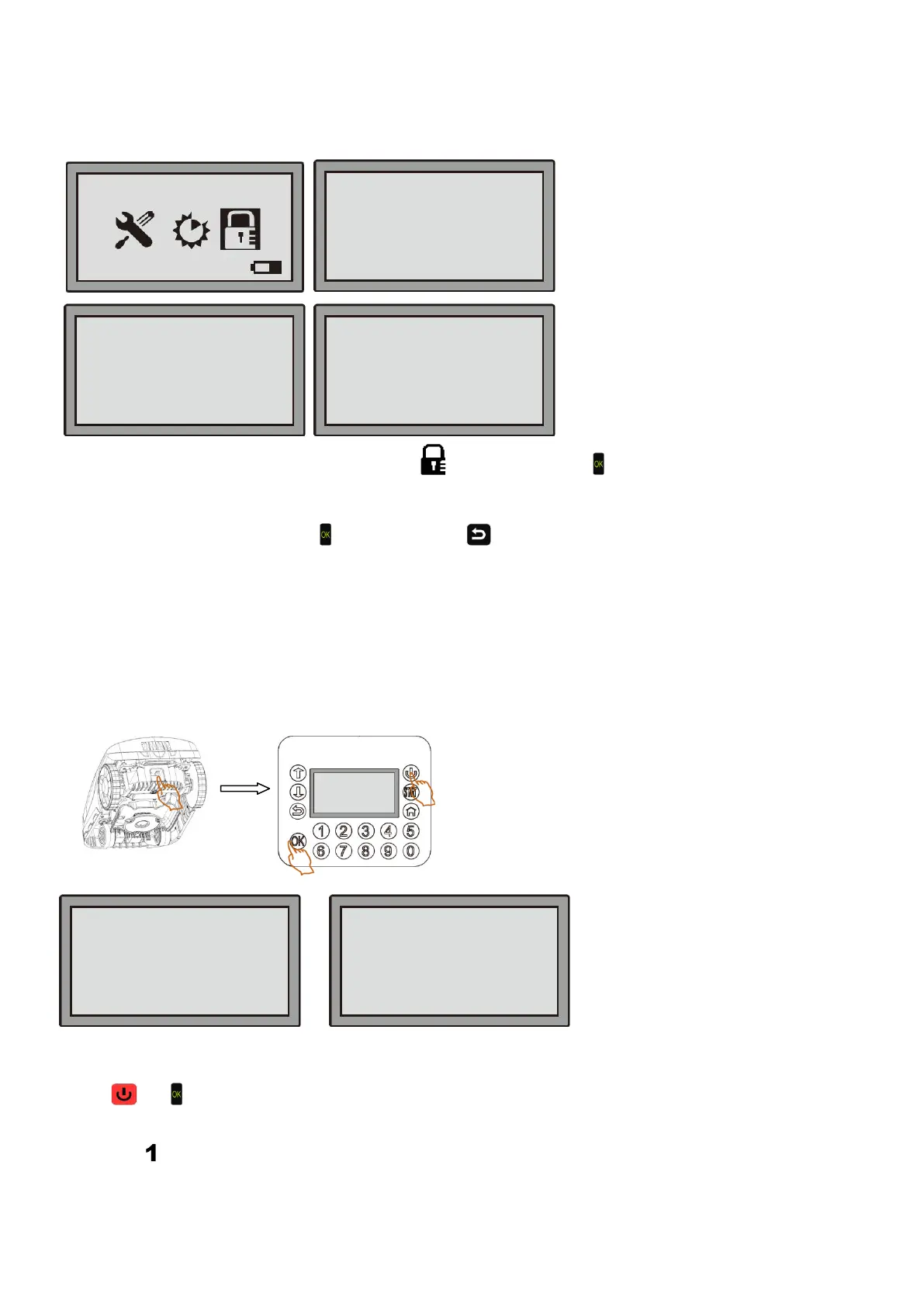
5.7 Change PIN code
Note: Change the PIN code when the main power switch is set “ON”
Every time you open the LCD cover, you need to input the PIN code to unlock the Robotic Mower.
The factory-set PIN code is “1-2-3-4”; you can change this PIN code as below:
Step 1: Move the cursor to the icon of Change PIN
, then hit the OK key .
Step 2: Input the old PIN code through the keyboard, the factory setting is “1-2-3-4”.
Step 3: Input the new PIN code.
Step 4: On the pop-up "Save it?", hit
to save it, or press to discard the changes and return to the previous
menu.
IMPORTANT!
Please write down your new PIN here:_____________________
Every time you change the PIN, please write it down to remember it. Without the correct PIN, your Robotic Mower is
anti-theft protected and all functions are blocked.
NOTE: What to do if you forget your PIN
Step 1:
Press the main power switch to “ON.
Press
and at the same time for 4 seconds to enter the Boot Mode.
Step 2:
Press key
, the screen will display a PUK number; this is your personal unlocking code. Contact our service
center to get your new PIN.
Keep your purchase receipt and the robot’s serial number ready. These are mandatory to obtain your PIN.
08-59-21 Mower
_ _ _ _
_ _ _ _
1-Generate PUK
2-Update firmware
(Wireless)
3-Update firmware
(U-disk)
4-Restart
(For example only)
(Please call the service, tell
them the PUK and get back
your PIN code)


 To Next Page