RT-14 Quick Start Guide
10
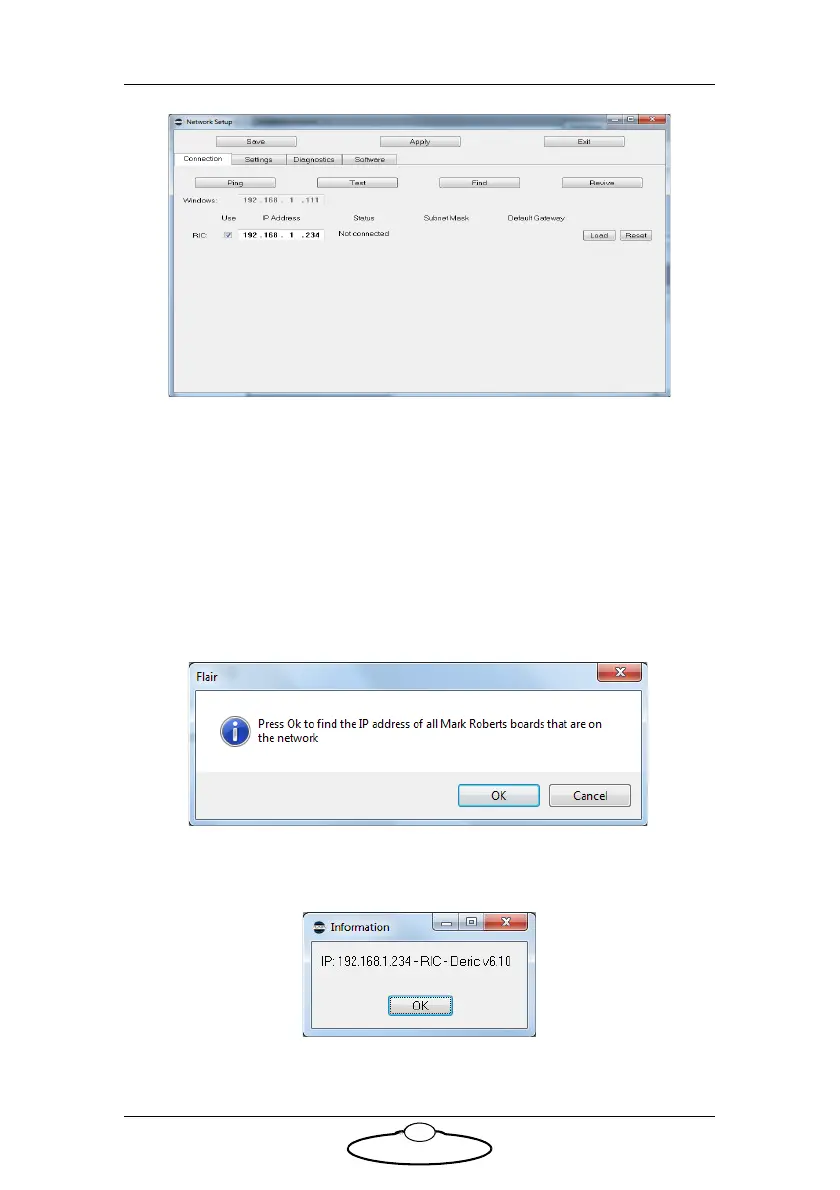
The Network Setup window, Connection tab, lists the Nodes (board
and head connections) that Flair is looking for, as defined in the
NetworkDirect.ini file. Any changes that you make and Save in the
Network Setup window are saved in the NetworkDirect.ini file. You
can also edit this file by using the menu option Help > View
Network.ini File. If Flair cannot find the RT-14 on the network at
the IP address shown then the node’s status is Not connected.
7. In the Network Setup window click on Find, then on OK in the
pop-up to confirm:
8. An Information pop-up displays information about the heads that
Flair has found on the network:


 To Next Page