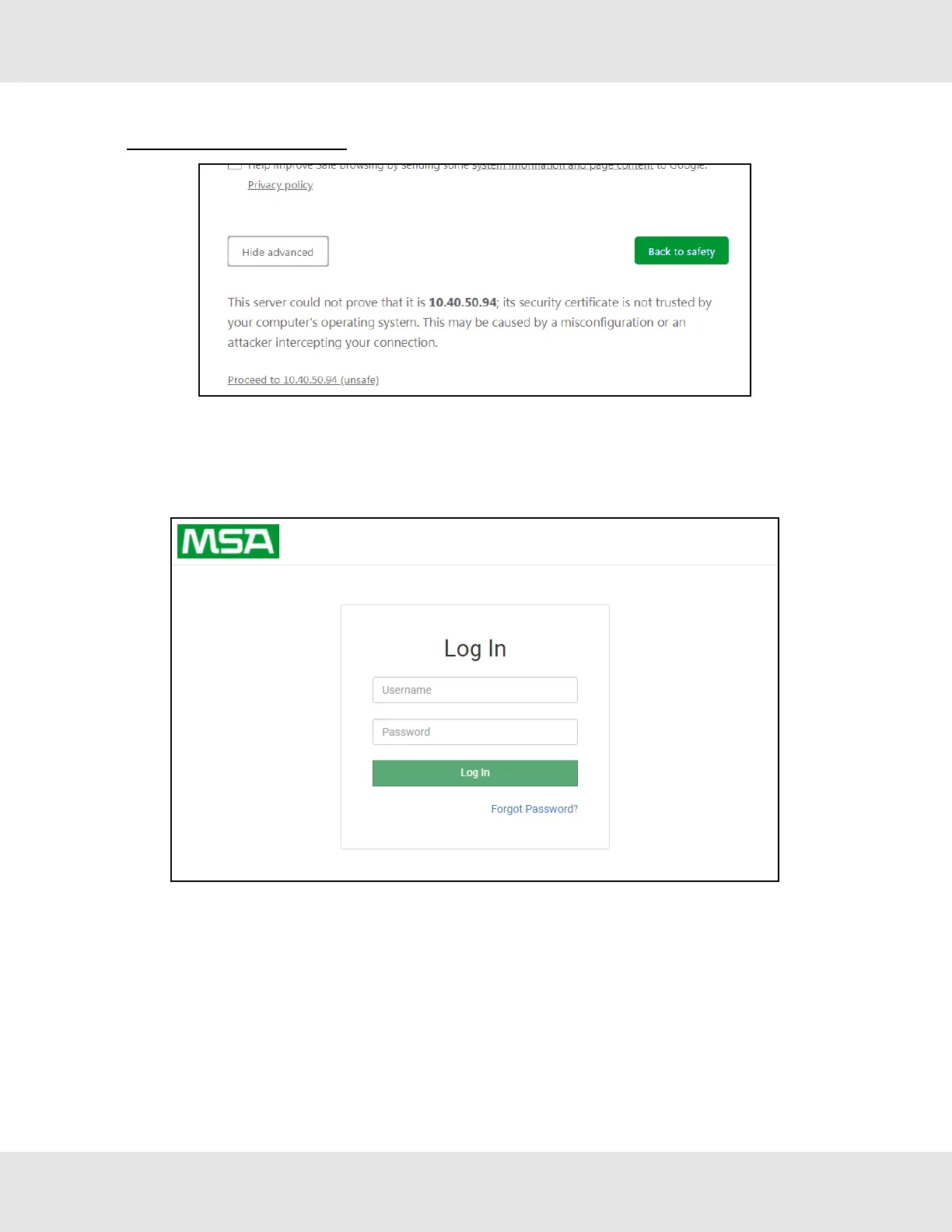
• Additional text will expand below the warning, click the underlined text to go to the IP Address. In the example below this
text is “Proceed to 10.40.50.94 (unsafe)”.
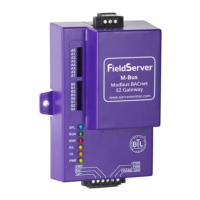
• When the login screen appears, put in the Username (default is “admin”) and the Password (found on the label of the
FieldServer).
NOTE:There is also a QR code in the top right corner of the FieldServer label that shows the default unique
password when scanned.
NOTE:A user has 5 attempts to login then there will be a 10-minute lockout. There is no timeout on the
FieldServer to enter a password.
NOTE:To create individual user logins, go to Section 11.2 Change User Management Settings.
EZ Gateway Modbus to BACnet Start-up Guide 15


 To Next Page