7.3.3 Completing Device Profile Setup
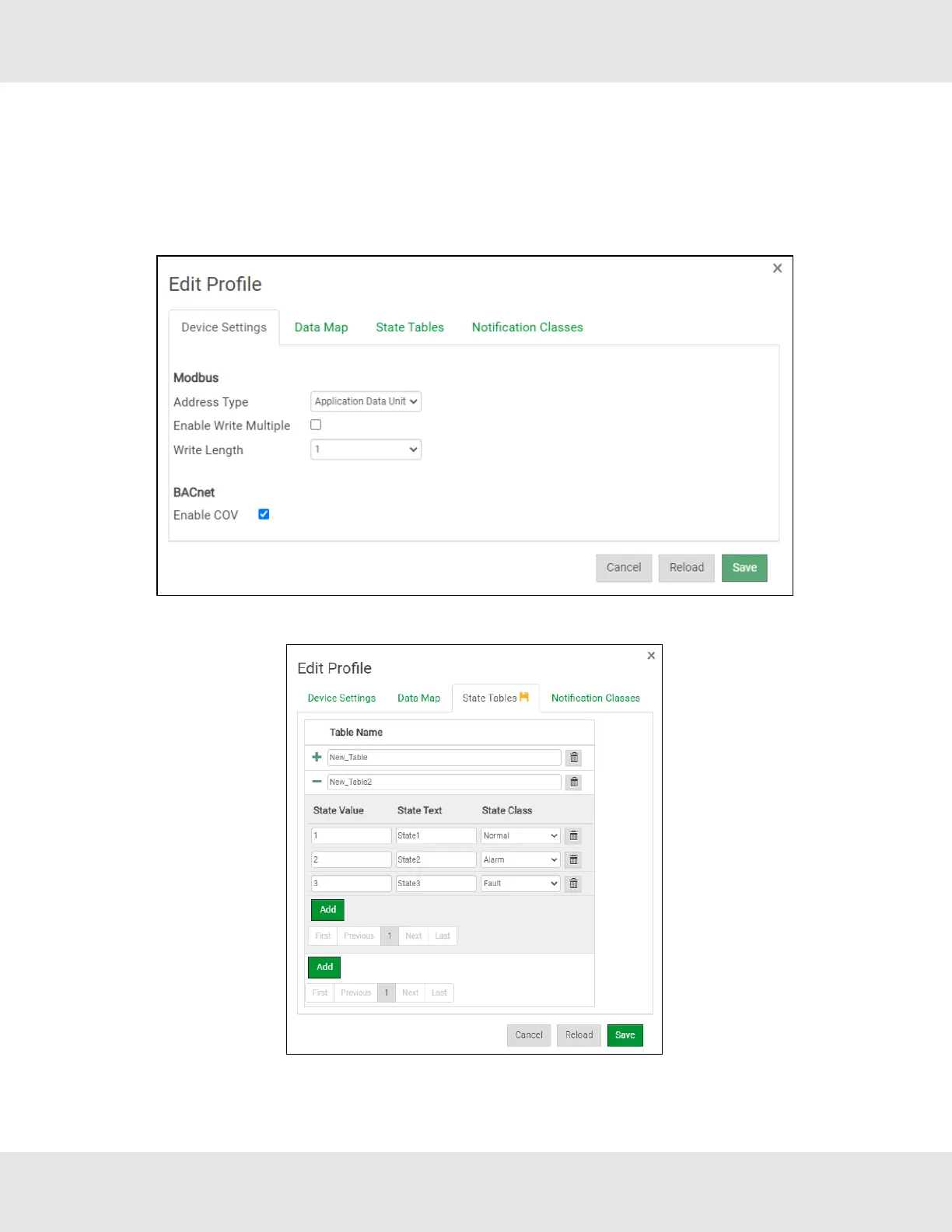
• Click on the Edit button (pencil icon) next to the name of the profile to complete setup.
• If a data map was loaded from a file created from the “Excel Profile Generator”, go to the Device Settings tab to enter the
Modbus and BACnet parameters.
NOTE:See Section 11.5 Address Types and Data Types for additional information on Address Type.
• If using a BACnet State Table, click on the “State Table” tab to define the table and its variables.
NOTE:The Table Name field must be 14 characters or less. No commas allowed. The State Text field must be
50 characters or less. No commas allowed.
24 EZ Gateway Modbus to BACnet Start-up Guide



 To Next Page