3 Installation
3.1 DIP Switch Settings
3.1.1 Bias Resistors
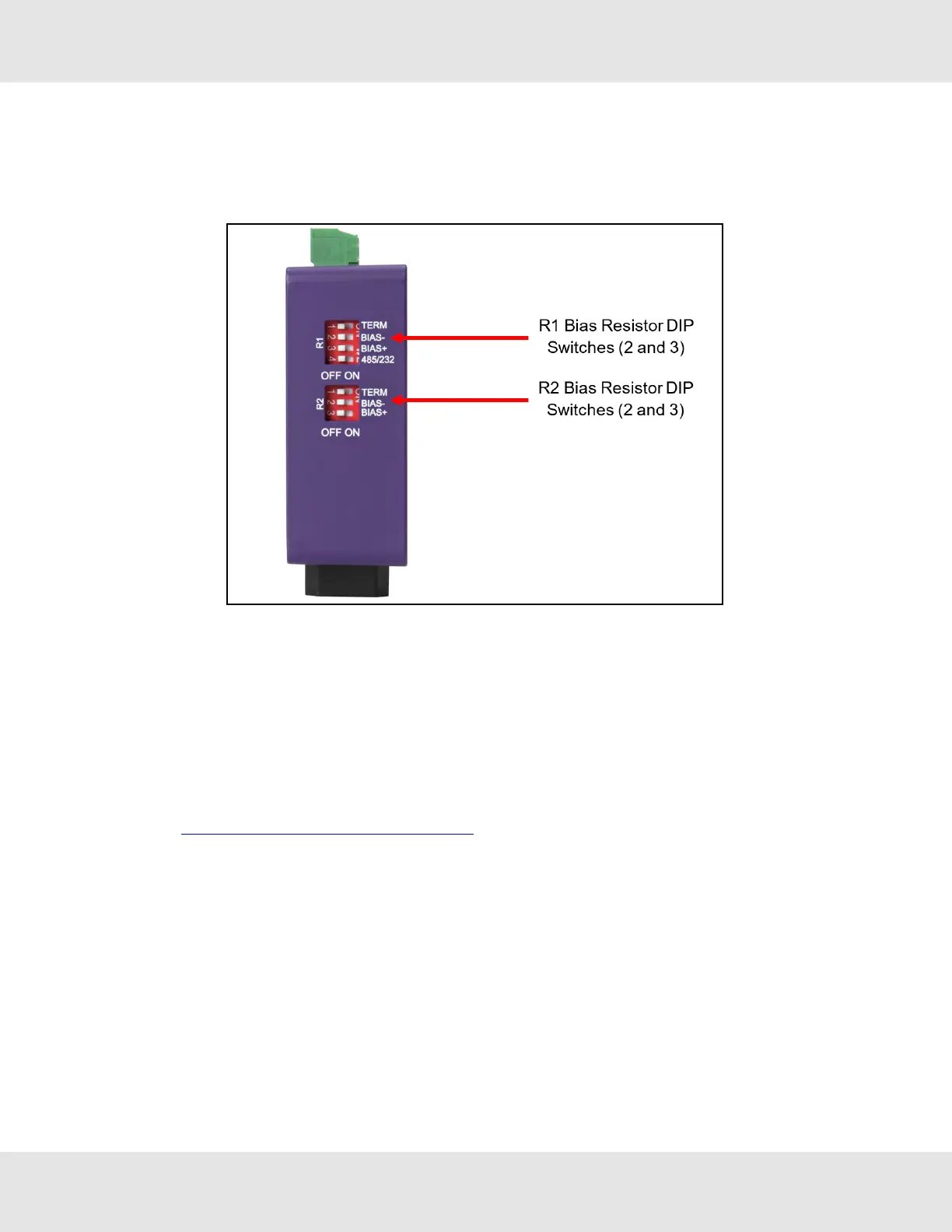
To enable Bias Resistors, move both the BIAS- and BIAS+ dip switches to the right in the orientation shown
above.
The bias resistors are used to keep the RS-485 bus to a known state, when there is no transmission on the line (bus is
idling), to help prevent false bits of data from being detected. The bias resistors typically pull one line high and the other low -
far away from the decision point of the logic.
The bias resistor is 510 ohms which is in line with the BACnet spec. It should only be enabled at one point on the bus (for
example, on the field port were there are very weak bias resistors of 100k). Since there are no jumpers, many EZ Gateways
can be put on the network without running into the bias resistor limit which is < 500 ohms.
NOTE:Seethe Termination and Bias Resistance Enote for additional information.
NOTE:The R1 and R2 DIP Switches apply settings to the respective serial port.
NOTE:If the gateway is already powered on, DIP switch settings will not take effect unless the unit is power
cycled.
8 EZ Gateway Modbus to BACnet Start-up Guide



 To Next Page