7 Configuring the EZ Gateway
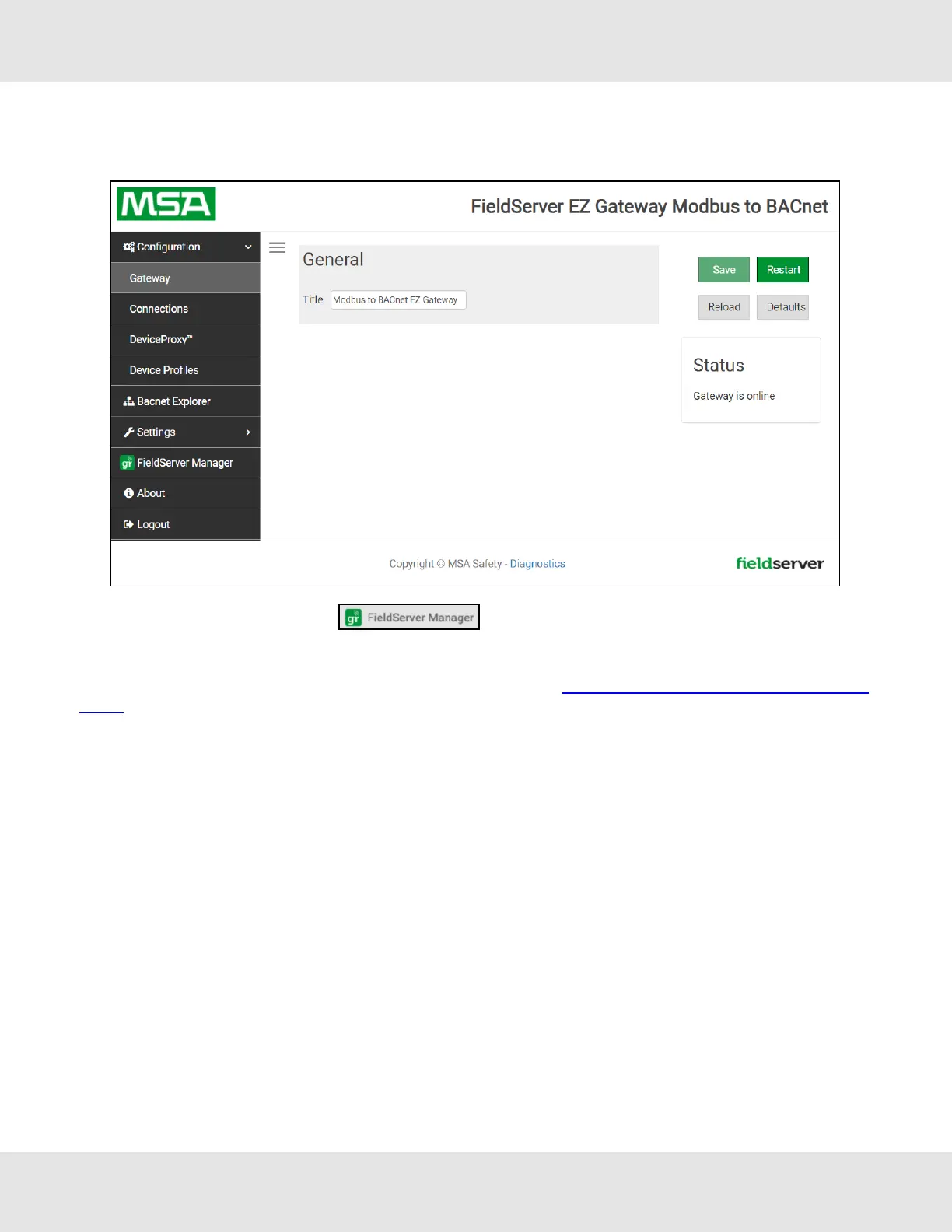
Once the web server setup is complete, the EZ Gateway landing page will appear.
NOTE:The FieldServer Manager tab (see screenshot above) allows users to connect to the
Grid, MSA Safety’s device cloud solution for IIoT. The FieldServer Manager enables secure remote connection
to field devices through a FieldServer and its local applications for configuration, management, maintenance.
For more information about the FieldServer Manager, refer to the MSA Grid - FieldServer Manager Start-up
Guide.
7.1 Controls, Status and Log Functions
Along the right side of every Web Configurator GUI page is a column of buttons and event generated messages.
• Controls Panel – Contains the following four buttons:
◦ Reload – Resets all settings to the last saved configuration
◦ Defaults – Resets all settings to the default configuration
◦ Save – Records all settings
◦ Restart – Reboots the Gateway
• Status Information – Shows Gateway messages such as whether the Gateway is online, element validation status,
unsaved settings, etc.
18 EZ Gateway Modbus to BACnet Start-up Guide



 To Next Page