7 Configure the FieldServer
7.1 Setting IP Address for Field Network
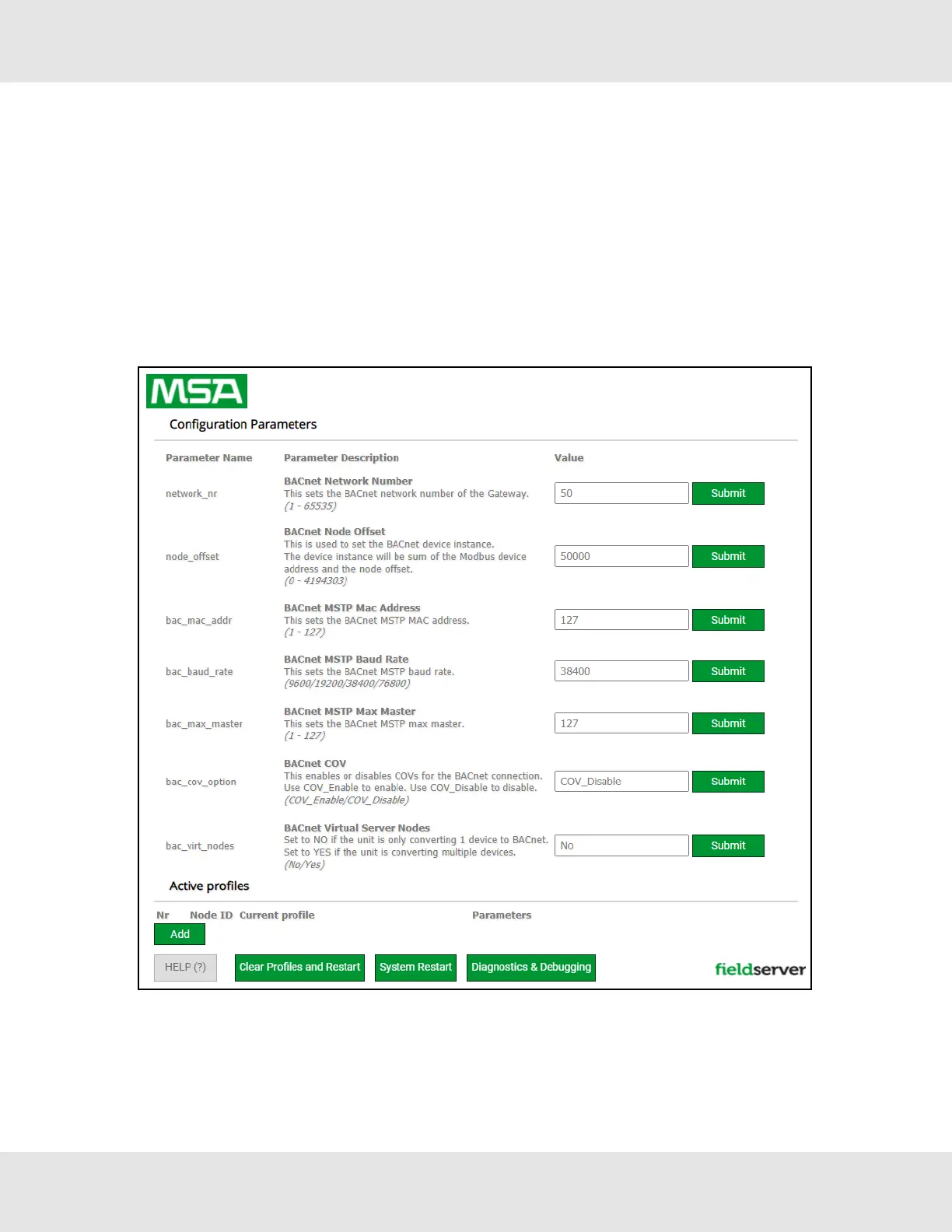
• The Web Configurator will be displayed as the landing page.
NOTE:Below the “Active Profiles” heading are listed the profiles for connected devices. If no profiles are
present, then the wiring, baud rate, and DIP switch settings must be checked, because there is a problem with
device communications. All the active profiles must show the correct Node-ID’s before proceeding.
NOTE:If multiple devices are connected to the ProtoNode and virtual server nodes are required, set the
BACnet Virtual Server Nodes field to “Yes”; otherwise leave the field on the default “No” setting.
• To access the Web GUI, click on the “Diagnostics & Debugging” button in the bottom right side of the page.
20 ProtoNode Start-up Guide



 To Next Page