9.5 LED Functions
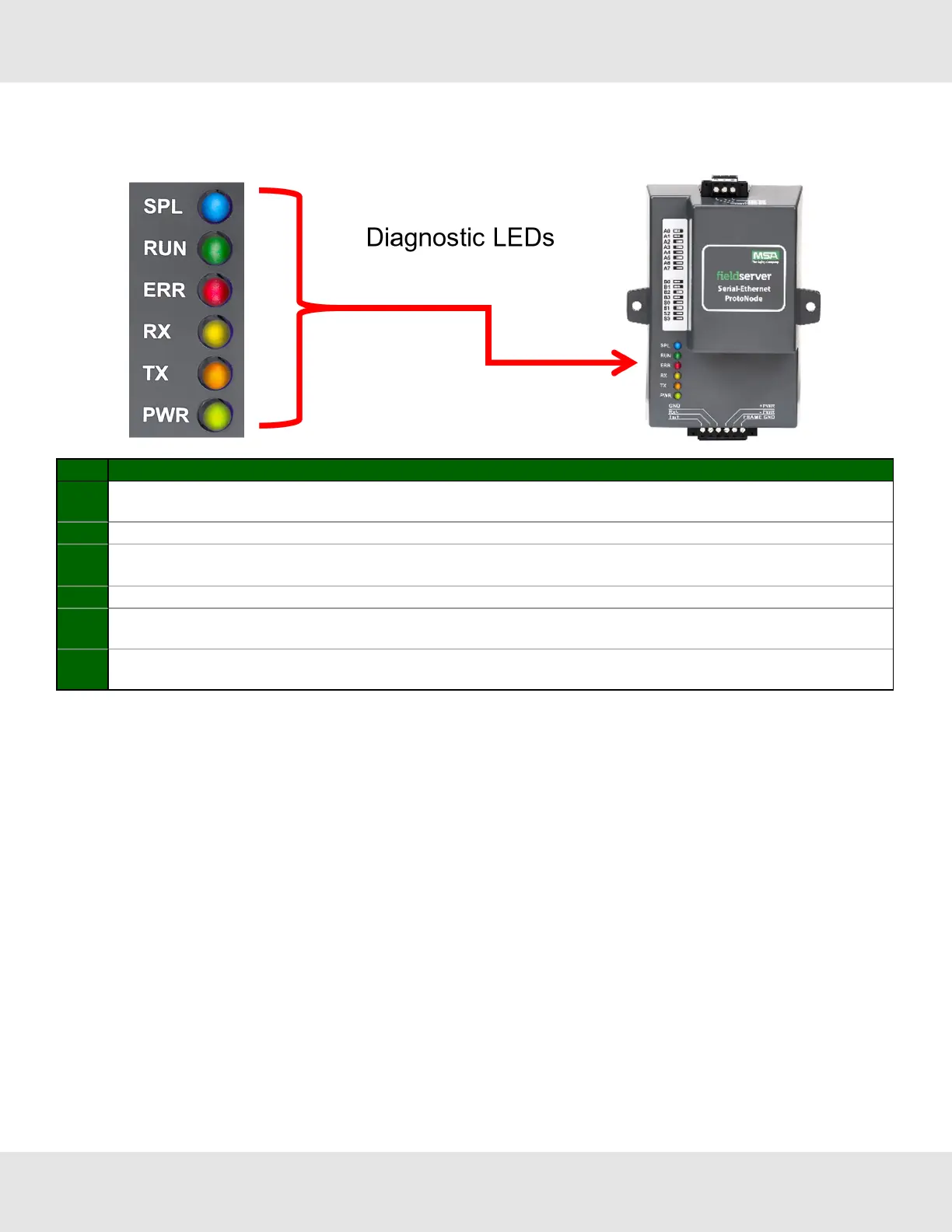
See the diagram below for ProtoNode FPC-N34 and FPC-N35 LED Locations.
Tag Description
SS
The SPL LED will light if the unit is not getting a response from one or more of the configured devices.
For LonWorks units, LED will light until the unit is commissioned on the LonWorks network.
RUN The RUN LED will start flashing 20 seconds after power indicating normal operation.
ERR
A steady red light will indicate there is a system error on the unit. If this occurs, immediately report the related
“system error” shown in the error screen of the FS-GUI interface to support for evaluation.
PWR The power light should always show steady green when connected to a functioning power source.
RX
The RX LED will flash when a message is received on the serial port on the 6-pin connector.
If the serial port is not used, this LED is non-operational.
TX
The TX LED will flash when a message is sent on the serial port on the 6-pin connector.
If the serial port is not used, this LED is non-operational.
9.6 Internet Browser Software Support
The following web browsers are supported:
• Chrome Rev. 57 and higher
• Firefox Rev. 35 and higher
• Microsoft Edge Rev. 41 and higher
• Safari Rev. 3 and higher
NOTE:Internet Explorer is no longer supported as recommended by Microsoft.
NOTE:Computer and network firewalls must be opened for Port 80 to allow FieldServer GUI to function.
28 ProtoNode Start-up Guide



 To Next Page