Setting EQ
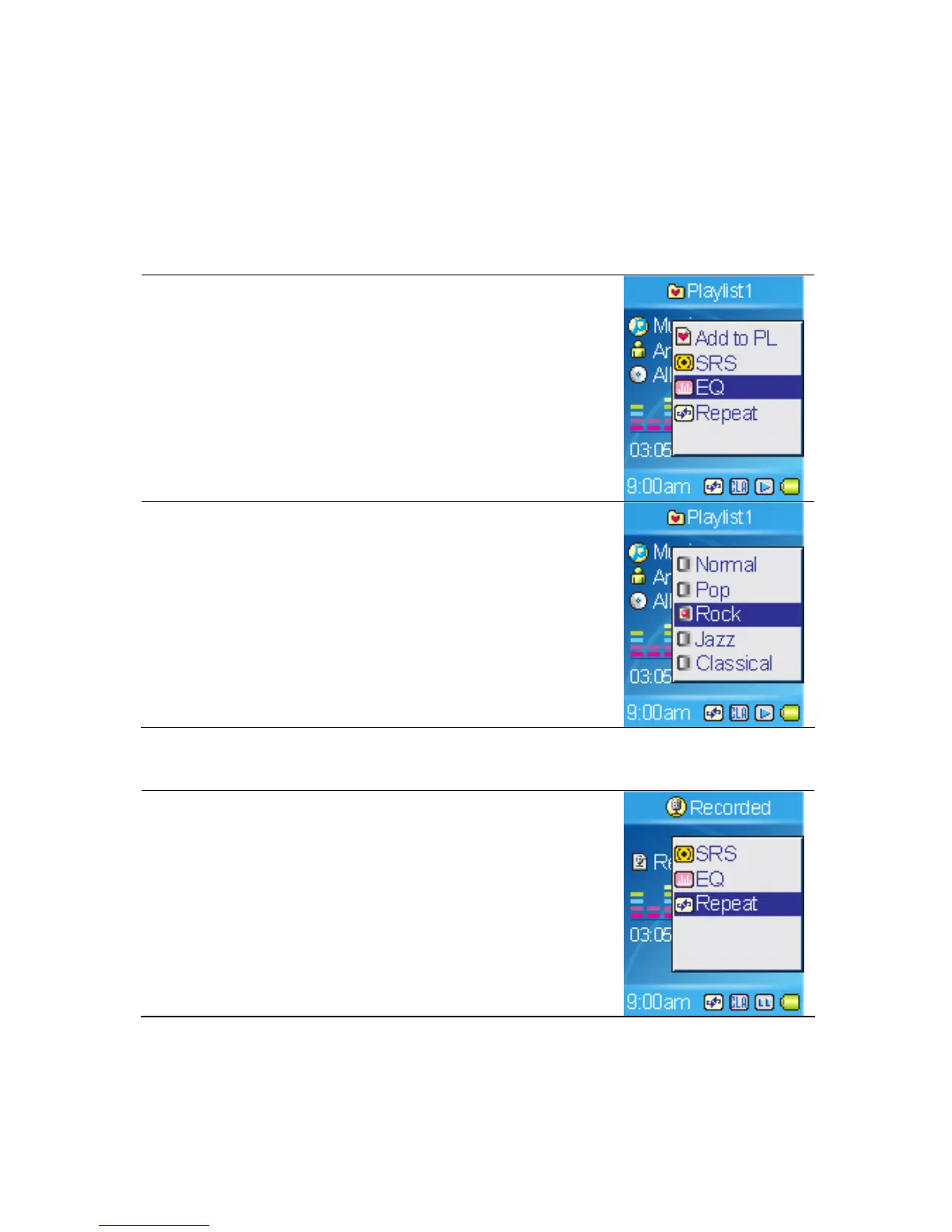
MEGA PLAYER 536 provides various EQ modes, such as POP, Rock, Jazz,
and Classical, for users to choose as following step to increase the enjoyment of
listening to music, and to meet the personal need or habit.
1. In playback mode, call submenu.
2. Select the EQ item.
3. Select Normal, POP, Rock, Jazz or Classical.
Note: Once EQ is enabled, the SRS(WOW) settings
will be disabled at the same time.
Setting Repeat Mode
1. In playback mode, call submenu.
2. Select the Repeat item.
24



 To Next Page