Chapter 2. Getting Started
Overview
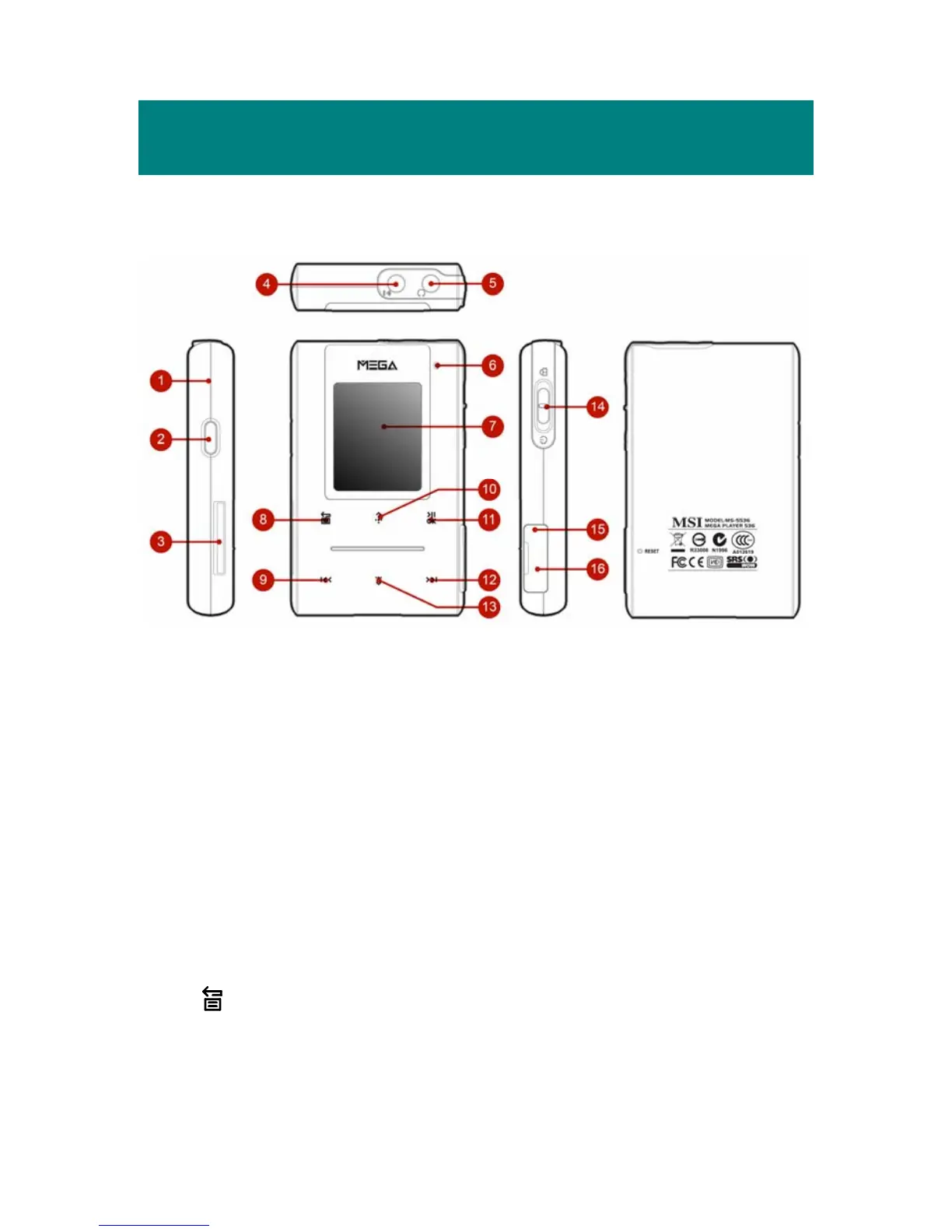
1. MIC Internal Microphone.
2. Record/Repeat A->B Press to record voice or enable the A to B repeat
function.
3. SD/ MMC Card Slot Plug SD or MMC card to read and manage the
files.
4. Line-In Jack Plug the external Line-In device here.
5. Earphone Jack Plug the supplied earphone here.
6. LED Indicator Indicate the device status.
7. Display Window Read status and information at this window.
8.
Exit/Submenu Button
Press it to exit from menu.
Down and hold it for two seconds to display the
8



 To Next Page