User Manual PolyGard
®
2 Sensors 2023-11 Page 20 | 40
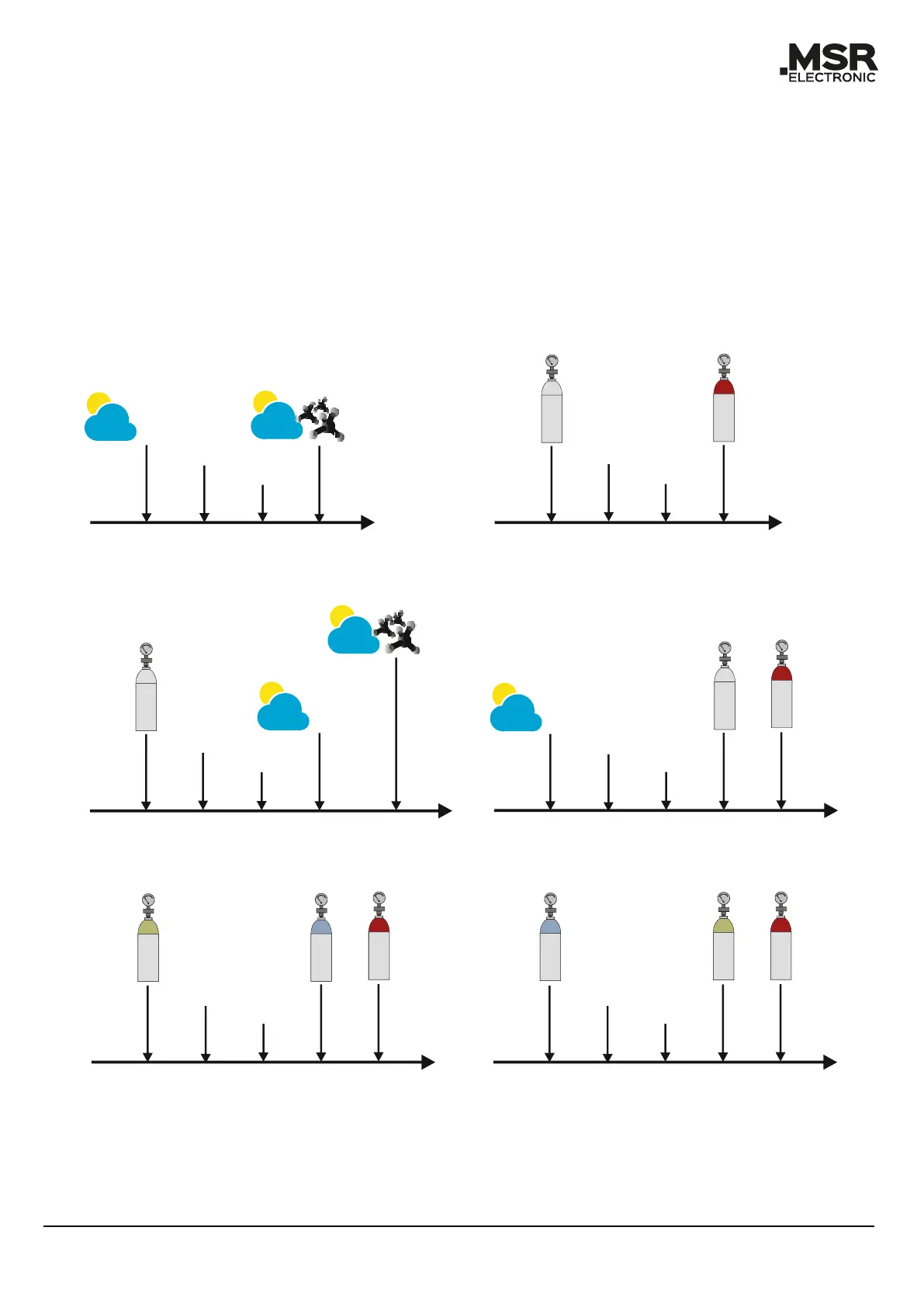
A distinction must be made between the environment in the application and the test conditions in
the laboratory. The initialisation process of the sensor to set it to the correct environment takes
about 5 minutes. For measurements under real conditions, the sensor should be started in the envi-
ronment of the application (see Figure 5, Real conditions).
For test purposes, the sensor must be started during the application of zero gas (synthetic air or ni-
trogen, depending on the test gas) (see Figure 5, Test in the laboratory).
Incorrect start-up of the sensor will result in incorrect or inaccurate readings (see Figure 5, Incor-
rect start-up (1)–(4)).
Ambient air
No gas
Pressure
Temperature
Humitdity
Ambient air
Pressure
Temperature
Humidity
Initialisation
Initialisation
Z
e
r
o
g
a
s
1
T
e
s
t
g
a
s
2
Real Conditions
Test in the laboratory
Initialisation
Z
e
r
o
g
a
s
1
Incorrect start-up process (1)
Initialisation
Incorrect start-up process (2)
Ambient air
No gas
Pressure
Temperature
Humidity
Z
e
r
o
g
a
s
1
T
e
s
t
g
a
s
2
Ambient air
No gas
Pressure
Temperature
Humidity
Ambient air
Pressure
Temperature
Humidity
Start
Start
Start
Start
Initialisation
Incorrect start-up process (3)
N
i
t
r
o
g
e
n
T
e
s
t
g
a
s
i
n
s
y
n
t
h
.
a
i
r
Start
S
y
n
t
h
.
a
i
r
Incorrect start-up process (4)
Initialisation
N
i
t
r
o
g
e
n
T
e
s
t
g
a
s
i
n
n
i
t
r
o
g
e
n
Start
S
y
n
t
h
.
a
i
r
1
Zero gas = Synthetic air or nitrogen
Test gas = Test gas in synthetic air or nitrogen
2



 To Next Page